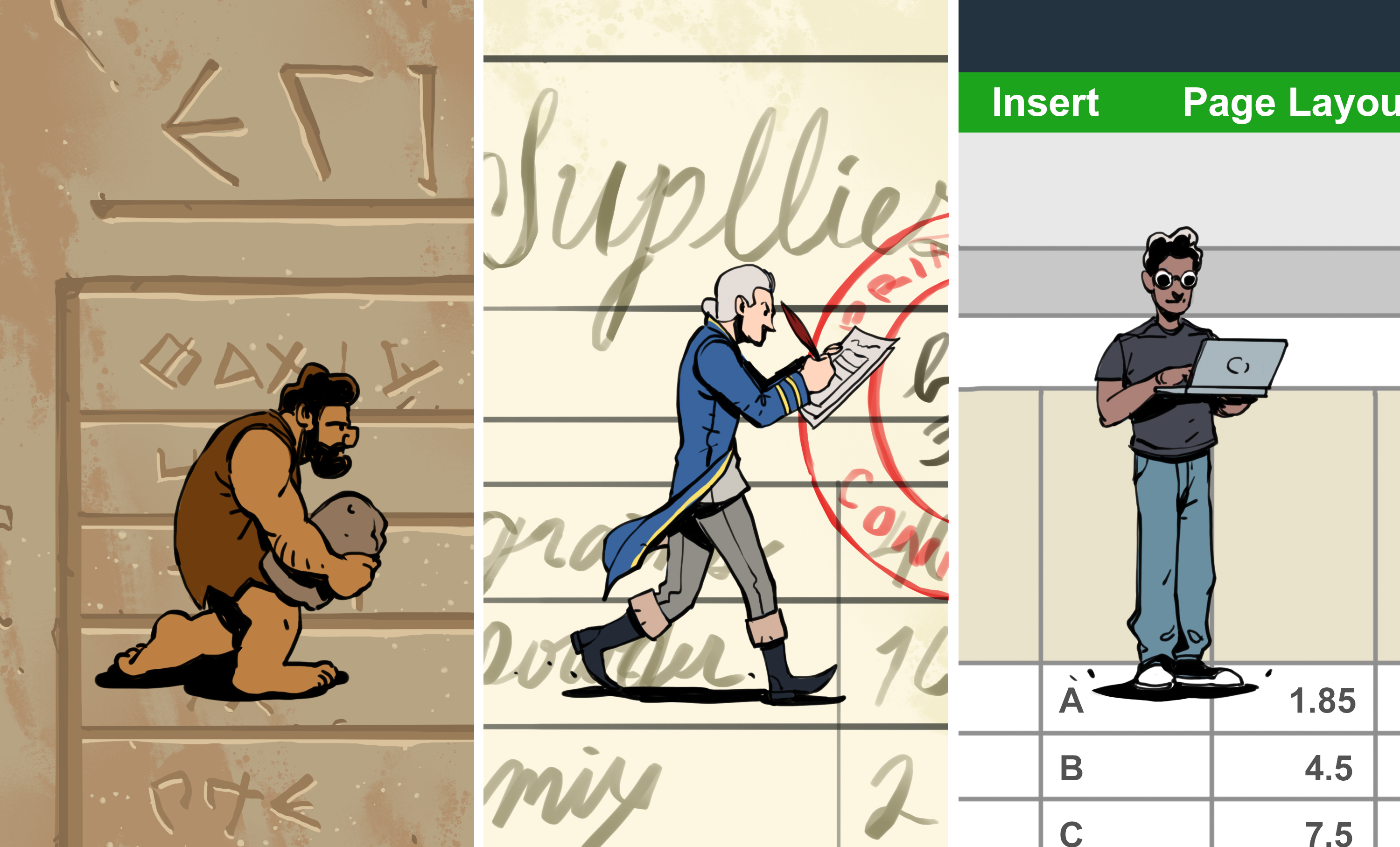
Before the spreadsheet became the quiet ruler of office life, it lived on paper. Accountants, merchants, engineers, teachers, and household budgeters filled ledgers with columns, rows, totals, and tiny handwritten prayers that the arithmetic would behave. A single changed number could mean recalculating an entire page. A misplaced decimal could turn a modest office budget into something that looked like a small space program. The spreadsheet, in other words, was born from a very human problem: people wanted numbers to move without making everyone miserable.
The history of the spreadsheet is not just a history of software. It is a story about business decision-making, personal computing, financial modeling, collaboration, and the strange magic of cells named A1, B2, and C3. From paper ledgers to VisiCalc, Lotus 1-2-3, Microsoft Excel, Google Sheets, and modern cloud-based tools, spreadsheets changed how people plan, forecast, argue in meetings, and discover that someone accidentally typed “10000” instead of “100.00.”
From Paper Ledgers To Electronic Thinking
The word “spreadsheet” originally referred to large paper accounting sheets spread across a desk. These sheets organized information into rows and columns so that totals, categories, and relationships could be seen at a glance. That grid structure was powerful because it made abstract business activity visible. Sales, costs, salaries, inventory, loans, and taxes could all be lined up like obedient little soldiers.
But paper had a problem: it was stubborn. If one number changed, every dependent calculation had to be updated manually. Imagine preparing a budget, discovering that rent increased by 8 percent, and then recalculating dozens of totals with a calculator while your coffee got cold and your optimism left the building. This pain created the perfect opening for computers.
The Early Ideas Behind Computerized Spreadsheets
Long before spreadsheets became a normal part of office software, researchers and business technologists were thinking about computerized models. In the 1960s, academic work explored the idea of using computers for business planning and accounting-style calculations. Early systems were not the friendly grid tools we know today. They were often designed for mainframes, time-sharing systems, or specialized business environments.
One important milestone was LANPAR, short for “Language for Programming Arrays at Random.” Developed in the late 1960s, LANPAR allowed users to work with electronic tables and formulas on large computer systems. It did not become a household name, partly because households did not generally keep mainframes next to the toaster. Still, it proved a key concept: formulas, rows, and columns could be handled electronically.
VisiCalc: The Spreadsheet That Sold Computers
The spreadsheet’s big popular breakthrough arrived in 1979 with VisiCalc, created by Dan Bricklin and Bob Frankston. VisiCalc ran first on the Apple II and is widely remembered as the first electronic spreadsheet for personal computers. It turned the computer from a hobbyist toy into a serious business machine. Suddenly, a personal computer was not just something for enthusiasts; it was a financial modeling engine that could sit on a desk.
The famous origin story begins with Bricklin watching a professor create a financial model on a blackboard. When one number changed, the professor had to erase and rewrite related values. Bricklin imagined a digital version where changing one figure would automatically update the rest. That idea sounds obvious today, but in the late 1970s it was revolutionary. It was like giving a calculator a memory, a map, and a very useful personality.
VisiCalc gave users the ability to test “what-if” scenarios. What if costs rose? What if sales doubled? What if the loan payment changed? Instead of rebuilding the whole sheet, users could change a number and watch the model update. That one feature transformed decision-making. Business planning became faster, more flexible, and far less dependent on erasers.
Why VisiCalc Was A Killer App
In technology history, a “killer app” is software so useful that people buy hardware just to run it. VisiCalc became exactly that for the Apple II. Business users who might never have cared about personal computers suddenly saw a practical reason to own one. The spreadsheet was no longer just a document; it became an interactive model.
The design was also familiar. Users already understood rows, columns, and ledgers. VisiCalc did not ask them to think like programmers. It asked them to think like people who already used paper spreadsheets, only now the paper could calculate, recalculate, and politely avoid smudges. This familiar interface helped make computing approachable to accountants, managers, analysts, and small business owners.
Lotus 1-2-3 And The Rise Of The IBM PC
In 1983, Lotus 1-2-3 arrived and quickly became the spreadsheet champion of the IBM PC era. Created by Lotus Development Corporation, it combined spreadsheet calculations, charting, and basic database features. The name “1-2-3” reflected this three-part promise: calculate, graph, and manage data. It was a productivity Swiss Army knife, minus the tiny scissors nobody uses correctly.
Lotus 1-2-3 was fast, powerful, and well matched to the IBM PC and MS-DOS business environment. It became a standard tool throughout the 1980s and helped push IBM-compatible PCs deeper into corporate offices. If VisiCalc showed why personal computers mattered, Lotus 1-2-3 showed how dominant spreadsheet software could become in business culture.
Lotus also popularized features that still feel familiar today, including macros and charting. Macros allowed users to automate repeated actions, turning spreadsheets into small business applications. This was both brilliant and dangerous, because every office eventually discovers one spreadsheet built by a person who left the company in 1998 and apparently documented nothing because mystery was part of the brand.
Microsoft Excel Enters The Chat
Microsoft entered the spreadsheet market before Excel with Multiplan, but Lotus 1-2-3 dominated the DOS world. Excel, launched for the Macintosh in 1985, took a different path. It leaned into the graphical user interface, using menus, windows, and mouse-driven interaction at a time when many business users were still living in command-line land.
Excel’s early advantage grew as graphical computing became mainstream. When Windows gained popularity, Excel was positioned perfectly. It was easier to use than many older spreadsheet programs, visually polished, and closely tied to Microsoft’s expanding Office ecosystem. Over time, Excel overtook Lotus 1-2-3 and became the spreadsheet most people think of first.
Excel also became more than a spreadsheet. It became a platform. Pivot tables, charts, formulas, Visual Basic for Applications, templates, add-ins, and integrations turned it into a tool for finance, science, education, operations, project management, inventory tracking, and occasionally making surprisingly beautiful pixel art. Somewhere in the world, someone has probably built a wedding seating chart, a stock model, and a fantasy football tracker in the same workbook.
The Famous 1900 Leap Year Quirk
No brief history of spreadsheets is complete without a tiny detour into one of Excel’s strangest historical quirks: the 1900 leap year issue. Excel treats 1900 as if it were a leap year, even though it was not. This behavior traces back to compatibility with Lotus 1-2-3, which used the same assumption. Microsoft kept the behavior so that old spreadsheet files would not break.
This is a perfect example of how software history hardens into modern reality. A small compatibility decision from the early spreadsheet wars still affects date handling today. For most users, it causes no practical problem. But it is a charming reminder that even the most serious business tools carry fossils from earlier eras. Somewhere inside the modern spreadsheet is a little 1980s gremlin wearing a necktie.
OpenOffice, LibreOffice, And The Open-Source Spreadsheet
While Microsoft Excel became dominant in commercial office software, open-source alternatives gave users more choice. OpenOffice Calc and LibreOffice Calc brought spreadsheet functionality into free office suites. These tools supported common spreadsheet tasks such as formulas, charts, data tables, and file compatibility, making them valuable for students, nonprofits, governments, and users who preferred open software.
The open-source spreadsheet movement matters because it helped keep productivity tools accessible. Not every user, classroom, or organization can pay for premium software licenses. Spreadsheet history is not only about corporate competition; it is also about access. A spreadsheet is often the first serious data tool people learn, and free alternatives help more people participate in digital work.
Google Sheets And The Cloud Collaboration Era
The next major shift was not simply about formulas. It was about where spreadsheets lived. In 2006, Google introduced web-based spreadsheet tools that later became part of Google Sheets. The big idea was collaboration. Instead of emailing “final_budget_v7_really_final_THIS_ONE.xlsx” across the office, multiple people could work in the same file online.
Real-time collaboration changed spreadsheet habits. Teams could edit together, comment, share permissions, review version history, and work from different devices. This made spreadsheets less like private documents and more like shared workspaces. It also created new office drama, such as watching a coworker type into the wrong cell in real time while everyone silently panics.
Cloud spreadsheets also made data more connected. Forms, dashboards, scripts, browser extensions, and integrations allowed spreadsheets to collect and distribute information across systems. The spreadsheet was no longer trapped on one machine. It became part of a web-based workflow.
Why Spreadsheets Became So Popular
Spreadsheets succeeded because they sit between simplicity and power. A beginner can type a grocery list into one. An analyst can build a financial model with thousands of formulas. A teacher can track grades. A startup can manage leads. A scientist can organize observations. A family can plan a vacation budget. The grid is humble, but it scales.
Another reason is flexibility. Databases are powerful but structured. Programming languages are powerful but intimidating. Spreadsheets offer a middle path. They let users create small systems without asking permission from an IT department. That freedom made spreadsheets wildly useful, though it also led to fragile business-critical files named things like “master_copy_updated_NEW2.”
The Spreadsheet As A Programming Tool
Many people do not think of spreadsheet users as programmers, but they often are. A formula is a small instruction. A workbook is a logic system. A chain of formulas can become an application. When users write functions, link cells, create conditional rules, and automate tasks, they are building software in plain sight.
This is one reason spreadsheet risk became a serious topic. Important spreadsheets can contain hidden errors, broken links, outdated assumptions, or formulas copied into the wrong range. In finance, operations, and reporting, a spreadsheet mistake can produce real consequences. The tool is easy to start using, but professional spreadsheet design requires discipline: clear structure, version control, documentation, testing, and review.
Spreadsheets In The Age Of Big Data And AI
Today, spreadsheets continue to evolve. Modern tools connect to databases, cloud services, artificial intelligence features, and business intelligence platforms. Excel includes advanced analytics and automation tools. Google Sheets integrates with online workflows. LibreOffice and OpenOffice continue to serve users who value open productivity software.
Still, the basic idea remains familiar: rows, columns, cells, formulas, and visible relationships. That continuity is remarkable. Many technologies from the early personal computer era feel ancient now, but the spreadsheet still feels current. It has survived because it solves a permanent problem: people need to organize information, test ideas, and make decisions without waiting six months for custom software.
Lessons From Living With Spreadsheets: Practical Experiences
Anyone who has spent enough time with spreadsheets eventually learns that they are both incredibly helpful and quietly mischievous. The first lesson is that a spreadsheet rewards clarity. A clean sheet with labeled columns, consistent formats, and simple formulas feels like a well-organized kitchen. You know where the knives are, nothing smells suspicious, and dinner has a chance. A messy spreadsheet, by contrast, feels like opening a drawer and finding batteries, receipts, rubber bands, and one mysterious key.
The second lesson is that spreadsheets make thinking visible. When planning a budget, for example, vague worries become specific numbers. “We are spending too much” becomes “food delivery increased 34 percent this month.” That may hurt, but it is useful. A spreadsheet turns emotion into evidence. It does not judge you for buying three unnecessary gadgets, but it does place them in a neat column where your conscience can find them.
The third lesson is that small mistakes travel fast. One wrong formula copied down a column can quietly distort an entire model. That is why experienced spreadsheet users check totals, test assumptions, freeze headers, protect important cells, and use comments. A good spreadsheet should explain itself to the next person who opens it, especially if that person is future you on a Monday morning with only half a cup of coffee.
The fourth lesson is that collaboration changes everything. When a team works in a shared spreadsheet, the file becomes a conversation. Comments replace hallway questions. Version history replaces blame archaeology. Permissions prevent accidental chaos, at least in theory. Watching updates happen live can feel magical, but it also teaches the value of structure. Without naming rules, data validation, and clear ownership, a shared spreadsheet can become a digital potluck where everyone brings a different format.
The final lesson is that spreadsheets endure because they meet people where they are. You do not need to be a software engineer to begin. You can start with a list, add a formula, create a chart, and slowly build confidence. That gentle learning curve is powerful. The spreadsheet has lasted because it is not merely a business tool; it is a thinking tool. It helps people compare, plan, question, forecast, and occasionally discover that the problem was never the revenue model, but the missing minus sign.
Conclusion: The Grid That Changed Work
The history of the spreadsheet is a history of making numbers easier to understand and easier to change. Paper ledgers gave people structure. Early computerized models gave them speed. VisiCalc gave personal computers a business purpose. Lotus 1-2-3 gave the IBM PC a killer app. Excel brought spreadsheets into the graphical office software age. Google Sheets pushed them into real-time collaboration. Open-source tools widened access.
Through every generation, the spreadsheet has remained strangely simple and endlessly adaptable. It is a calculator, database, planner, notebook, dashboard, programming environment, and office survival kit. Not bad for a grid.
Note: This article is original, fully rewritten content based on real spreadsheet history and designed for web publishing without embedded source-link clutter.