Modern appliances can send notifications, recognize food, estimate calories, accept voice commands, and occasionally make you wonder why your toaster needs an email address. Some connected features are genuinely useful. A washer that warns you about a leak or a refrigerator that alerts you when the door is open can prevent an expensive mess.
Other so-called smart appliance upgrades mostly add complexity. They introduce accounts, apps, cloud servers, sensors, subscriptions, software updates, and new failure points without making the appliance noticeably better at washing, drying, cooking, cooling, or opening a door.
Before paying extra for a machine that promises to think for you, ask one practical question: Does the smart feature improve the appliance’s core job? If the answer involves downloading three apps and accepting a privacy policy longer than a Russian novel, the feature may not be as intelligent as advertised.
What Makes a Smart Appliance Upgrade a Bad Deal?
A genuinely smart appliance should save time, reduce energy use, prevent damage, improve safety, or deliver better results. It should also continue performing its essential functions when the internet is down. Your refrigerator should not need permission from a distant server to remain a refrigerator.
Unfortunately, connected appliances frequently combine long-lived mechanical equipment with short-lived software. Consumers may expect a major appliance to remain useful for a decade or longer, while its companion app, cloud platform, or security support may have a much shorter life.
Connectivity can also complicate repairs. A traditional appliance may be diagnosed with a multimeter, service manual, and replacement part. A newer model might require proprietary software to pair a component, update a control board, or interpret an error code. That is not necessarily smarter for the owner, although it may be very smart for the company selling authorized service calls.
Seven Smart Appliance Upgrades Worth Questioning
1. Moisture-Sensing Dryers That Stop Too Soon
Moisture sensors are supposed to prevent overdrying by ending a cycle when the laundry is ready. In ideal conditions, that can save energy, protect fabrics, and eliminate the classic dryer setting known as “forty more minutes because I forgot what was in there.”
The trouble is that a sensor does not inspect every sock individually. It measures moisture where clothing contacts sensor bars inside the drum. Small loads may not touch those bars consistently. Mixed loads can fool the system when thin shirts dry before towels. Bulky bedding may feel dry outside while remaining damp in the folds.
Sensor bars can also become coated with residue from fabric softener or dryer sheets. A dirty sensor may interpret poor contact as dryness and shut the machine down early. Blocked vents, overloaded drums, and mixed fabric weights create additional problems.
Smarter alternative: Choose a dryer that includes moisture sensing but also provides simple timed-dry controls, adjustable dryness levels, accessible sensor bars, and clear maintenance instructions. The sensor should be an option, not the appliance’s unquestioned ruler.
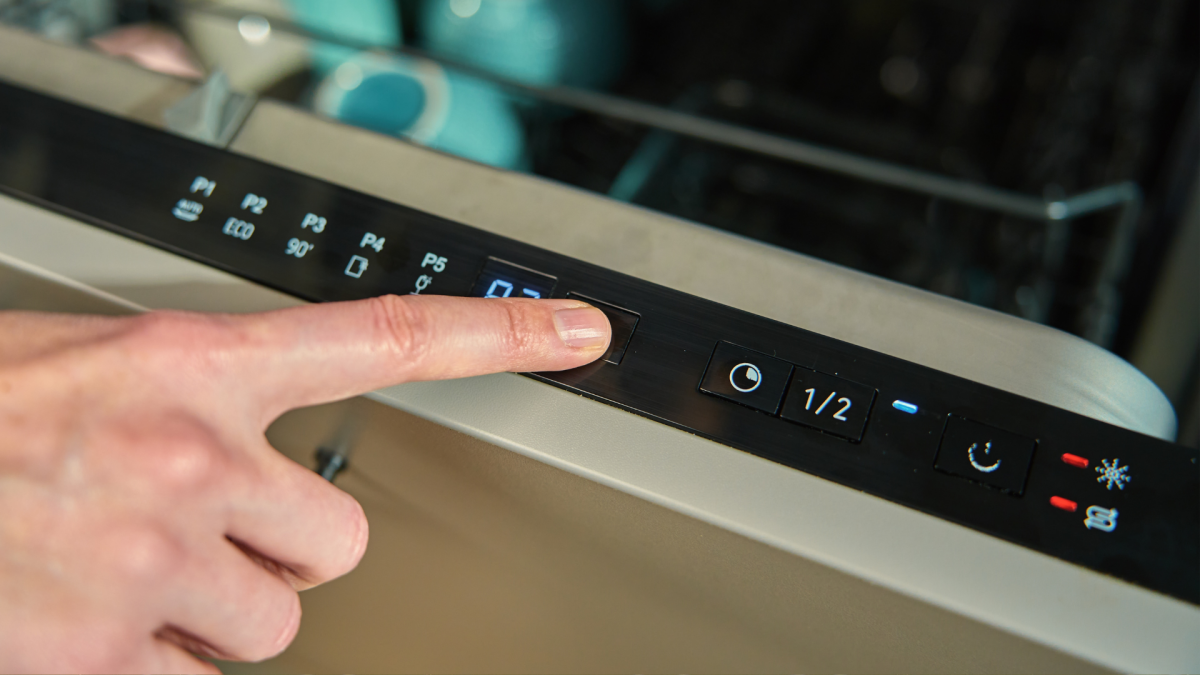
2. Dishwasher Eco Modes Marketed as One-Cycle Miracles
Energy-efficient dishwasher cycles can reduce water and electricity use, and a well-designed machine can still clean effectively. The questionable upgrade is not efficiency itself. It is the suggestion that one eco cycle will deliver perfect results for every possible load.
Eco programs often use lower temperatures, less water, longer wash times, or reduced heated drying. That may work beautifully for ordinary plates and glasses. It can be less satisfying with baked-on casserole, crowded racks, hard water, weak detergent, a dirty filter, or plastic containers that collect droplets as though water were a hobby.
Owners sometimes respond by prerinsing everything, rerunning the load, or selecting a second drying cycle. At that point, the expected savings begin quietly leaving through the kitchen door.
It is also important to distinguish cleaning from sanitizing. A normal or eco wash can clean everyday dishes without being a certified sanitation cycle. Households that specifically need higher-temperature sanitizing should select the appropriate program instead of assuming that every green leaf icon performs laboratory-grade germ destruction.
Smarter alternative: Look for a dishwasher with a soil sensor, accessible filter, flexible racks, multiple useful cycles, and a drying system suited to your needs. Efficiency is valuable, but only when the dishes do not require an encore.
3. AI Refrigerators That Struggle to Recognize Food
The smart refrigerator has become the luxury SUV of kitchen appliances: large, expensive, screen-covered, and capable of doing several things unrelated to its primary purpose.
Internal cameras can be convenient when you are at the grocery store wondering whether you need milk. However, camera angles may leave items hidden behind containers, in drawers, or inside opaque packaging. AI food-recognition systems face a harder problem. A cucumber partly covered by a bag, a homemade casserole, or an oddly shaped avocado may not resemble the clean product images used to demonstrate the feature.
When recognition fails, the owner must correct the inventory manually. A feature designed to eliminate list-making can therefore become a more complicated method of list-making.
The embedded touchscreen creates another concern. Refrigeration hardware may remain functional long after the screen, operating system, app store, or cloud service becomes outdated. The kitchen then contains a perfectly cold computer that no longer receives useful updates.
Connected refrigerator cameras and accounts may also collect information about household routines and appliance use. That does not make every smart refrigerator dangerous, but it does mean buyers should review privacy settings rather than treating the refrigerator door as a harmless oversized tablet.
Smarter alternative: Prioritize temperature consistency, usable storage, dependable seals, quiet operation, energy efficiency, accessible parts, and strong service coverage. A basic door-open alert may deliver more lasting value than an AI system attempting to identify last Tuesday’s leftovers.
4. Sensor-Cooking Microwaves That Guess Wrong
Sensor-cooking microwaves try to detect steam or humidity released by food and then adjust cooking time automatically. For certain foods and portions, this can be wonderfully convenient. Pressing one button for a bowl of vegetables is easier than performing mental arithmetic while hungry.
Unfortunately, steam is an indirect measurement. Dry foods may not release enough moisture for the sensor to respond correctly. A vented lid, unusual container, frozen center, mixed ingredients, or portion outside the expected range can confuse the program. One section may become volcanic while another remains on speaking terms with the freezer.
Microwave ovens naturally create hot and cold spots, which is why stirring, rotating, standing time, and food thermometers remain important for safety-sensitive foods. A sensor program does not replace those steps. It is an automated estimate, not a tiny chef living behind the control panel.
Smarter alternative: Buy a microwave with intuitive manual controls, adjustable power levels, a good turntable, and presets you will actually use. Sensor cooking is a bonus when it works, but it should never be the only convenient route to heating lunch.
5. Smart Kitchen Scales That Pretend Weight Equals Nutrition
A high-quality kitchen scale is one of the most useful tools in a kitchen. It improves baking consistency, simplifies portion measurement, and reduces the number of measuring cups waiting dramatically in the sink.
A smart scale usually adds Bluetooth, an app, an account, and a nutrition database. The scale may measure weight accurately, but its calorie and nutrient estimates depend on choosing the correct food entry. Raw chicken is not cooked chicken. Plain oatmeal is not oatmeal prepared with milk, sugar, nuts, and a hopeful spoonful of peanut butter.
Generic database entries can differ from branded products, recipes, restaurant foods, and produce varieties. Preparation methods also change water content and weight. If the user selects the wrong match, the app can produce a wonderfully precise number that is precisely wrong.
The connected version may also be slower. Instead of placing an ingredient on the scale, reading the weight, and continuing the recipe, the user unlocks a phone, opens an app, reconnects Bluetooth, searches a database, dismisses a notification, and forgets why the flour is sitting there.
Smarter alternative: Choose an accurate digital scale with a fast response, clear display, tare button, useful capacity, and common measurement units. Consult the product label or a reputable nutrition database when nutritional analysis is actually needed.
6. Smart Garage Door Openers That Depend Too Heavily on the Cloud
A connected garage door controller offers real benefits. It can warn you that the door was left open, confirm whether it closed, or let you provide temporary access to a trusted person. Those are useful features, especially for anyone who has driven five miles before wondering, “Did I close it?”
The risks appear when remote connectivity becomes more important than local reliability. An app outage, lost password, expired login, router problem, platform change, or discontinued integration can interrupt smart functions. The opener may still work from a wall button, but the expensive feature that justified the purchase can vanish temporarily or permanently.
Security matters because the garage may provide direct access to the home. Weak account passwords, poor update practices, shared credentials, or outdated software create unnecessary exposure. Moving into or out of a smart home also requires factory resets and removal of previous users.
Smarter alternative: Select a garage door opener with dependable local controls, manual release, battery backup, obstruction detection, clear account management, multifactor authentication, and a published software-support policy. Remote control should be a layer of convenience, not the foundation holding up the door.
7. Voice-Controlled and App-Only Appliance Functions
Voice control sounds futuristic in a showroom. Tell the oven to preheat. Ask the refrigerator to open a door. Order the coffee maker to begin brewing as though you are a mildly irritated starship captain.
In an actual kitchen, physical controls are often faster. Turning a knob takes one second and rarely responds, “I’m sorry, I didn’t understand that.” Voice systems may mishear commands because of running water, ventilation fans, children, music, or the ordinary chaos of preparing dinner.
App-only features create an additional problem. A special cycle, temperature setting, diagnostic function, or maintenance tool may require an account and an active connection. Changing phones can mean reinstalling apps and recovering passwords. Guests, tenants, older family members, and repair technicians may not have access at all.
Cloud-dependent controls also inherit the lifespan of the manufacturer’s software platform. If the service changes or support ends, the physical appliance may survive while its advertised intelligence quietly retires.
Smarter alternative: Insist on complete local controls. Every essential function should work directly from the appliance without Wi-Fi, a smartphone, a subscription, or spoken permission. The app should duplicate or enhance the controls, never hold them hostage.
How to Shop for a Genuinely Smart Appliance
The smartest buying strategy is to evaluate the ordinary appliance first. Ignore the screen, app, and AI label for a moment. Does the refrigerator maintain stable temperatures? Does the dishwasher clean well? Is the washer gentle on clothing? Can the oven hold the selected temperature? Those basic performance questions matter far more than animated control panels.
Make Sure Essential Functions Work Offline
Disconnect the hypothetical appliance from Wi-Fi. It should still wash, cook, cool, dry, and respond to physical controls. Ask whether schedules, temperature settings, and diagnostic information remain available without an account.
Ask How Long Software Support Is Guaranteed
Look for a clear update period, not a vague promise to support the product “as needed.” Major appliances often remain in homes much longer than phones and tablets. A smart feature with only a few years of support should not command a major price premium.
Investigate Repairability Before Buying
Check whether parts, service manuals, error-code explanations, and independent repair options are available. Ask whether replacement components require software pairing or manufacturer-only calibration. An appliance that diagnoses itself but cannot be economically repaired is merely delivering bad news efficiently.
Compare the Smart Premium With the Real Benefit
A leak alert may prevent thousands of dollars in damage. Remote temperature monitoring can protect medication or valuable food. Demand-response features may lower energy costs where compatible utility programs exist. Those benefits can justify connectivity.
A refrigerator screen that displays the weather, however, may offer little more than the phone already in your pocket. Pay for outcomes, not demonstrations involving dramatic music and perfectly arranged vegetables.
Review Privacy and Security Controls
Connected appliances should support unique passwords, automatic updates, secure data transmission, account deletion, factory resets, and multifactor authentication where appropriate. Disable permissions and integrations you do not use. Your dishwasher does not need access to your contacts, even if it promises to remember everyone’s favorite cycle.
Conclusion: Smart Should Mean Useful, Not Merely Connected
The best smart appliance upgrades solve a real household problem. They warn about leaks, reduce wasted energy, detect open doors, provide meaningful diagnostics, or improve accessibility. They continue working locally, receive security updates, and do not turn routine repairs into software licensing negotiations.
The worst upgrades are ordinary controls wearing digital costumes. They require more attention, create more failure points, collect more data, and may disappear before the appliance itself wears out.
When shopping, begin with performance, reliability, efficiency, repair access, and warranty coverage. Treat connectivity as an optional feature that must earn its place. After all, the smartest refrigerator in the world is still a terrible purchase if it cannot reliably keep the milk cold.
Real-World Experiences: When Smart Features Get in the Way
Consider a typical Sunday laundry session. A household combines lightweight shirts, jeans, socks, and two thick towels in one load. The dryer announces completion after thirty minutes, which feels impressively efficient until someone discovers that the towels are still damp. A second cycle is started, eliminating much of the expected energy savings. After several repetitions, the owner discovers that dryer-sheet residue has coated the moisture-sensor bars. The intelligent machine was not broken; it simply needed its metal strips cleaned like a pair of very expensive eyeglasses.
Another familiar experience begins after a dinner party. The dishwasher is packed with plates, wineglasses, serving utensils, and a baking dish with stubborn cheese around the edges. The eco program is selected because saving water feels responsible. Three hours later, the glasses look good, the plastic containers are wet, and the baking dish still has evidence from the crime scene. The owner reruns several items on a stronger cycle. The lesson is not that eco cycles are useless. It is that efficient automation still depends on sensible loading, clean filters, suitable detergent, and choosing the right program for the mess.
The smart refrigerator creates a different sort of comedy. At the grocery store, an owner opens the interior-camera view to check for orange juice. Unfortunately, a large container blocks half the shelf, condensation blurs part of the image, and the juice is stored in the door beyond the camera’s view. The owner buys another carton and returns home to discover two already waiting. The feature technically worked. It displayed a highly accurate photograph of everything except the item the shopper needed to see.
Food-recognition systems add another layer. A family may diligently correct mislabeled groceries during the first week. By the third week, the task begins to resemble unpaid data-entry work. Homemade meals, leftovers, partially used packages, and items moved between shelves quickly weaken the inventory. Eventually, the screen becomes a beautiful digital grocery list that nobody trusts, while a handwritten note on the counter continues running the household with no firmware updates whatsoever.
App dependence becomes especially noticeable after replacing a phone or changing the home router. Suddenly, the washer, oven, air conditioner, garage door, and refrigerator all request new credentials. Some reconnect immediately. Others require pressing hidden buttons, joining temporary Wi-Fi networks, resetting accounts, and standing beside the appliance while an animated circle spins with quiet hostility. A feature that saved ten seconds per week can demand an hour of technical support during setup.
The most frustrating experience often arrives years later, when an appliance needs repair. The physical component may be replaceable, but the new part requires calibration, pairing, or a control-board update. An independent technician may lack access to the manufacturer’s software. The owner then faces a choice between a costly authorized visit and replacing an appliance that is mechanically salvageable. That is the moment when smart technology stops feeling like a convenience and starts feeling like a landlord.
These experiences point to a simple rule: automation is valuable when it quietly removes work. When it creates maintenance, account management, repeated corrections, or dependence on a company’s server, it has not eliminated the chore. It has merely changed the chore’s password.