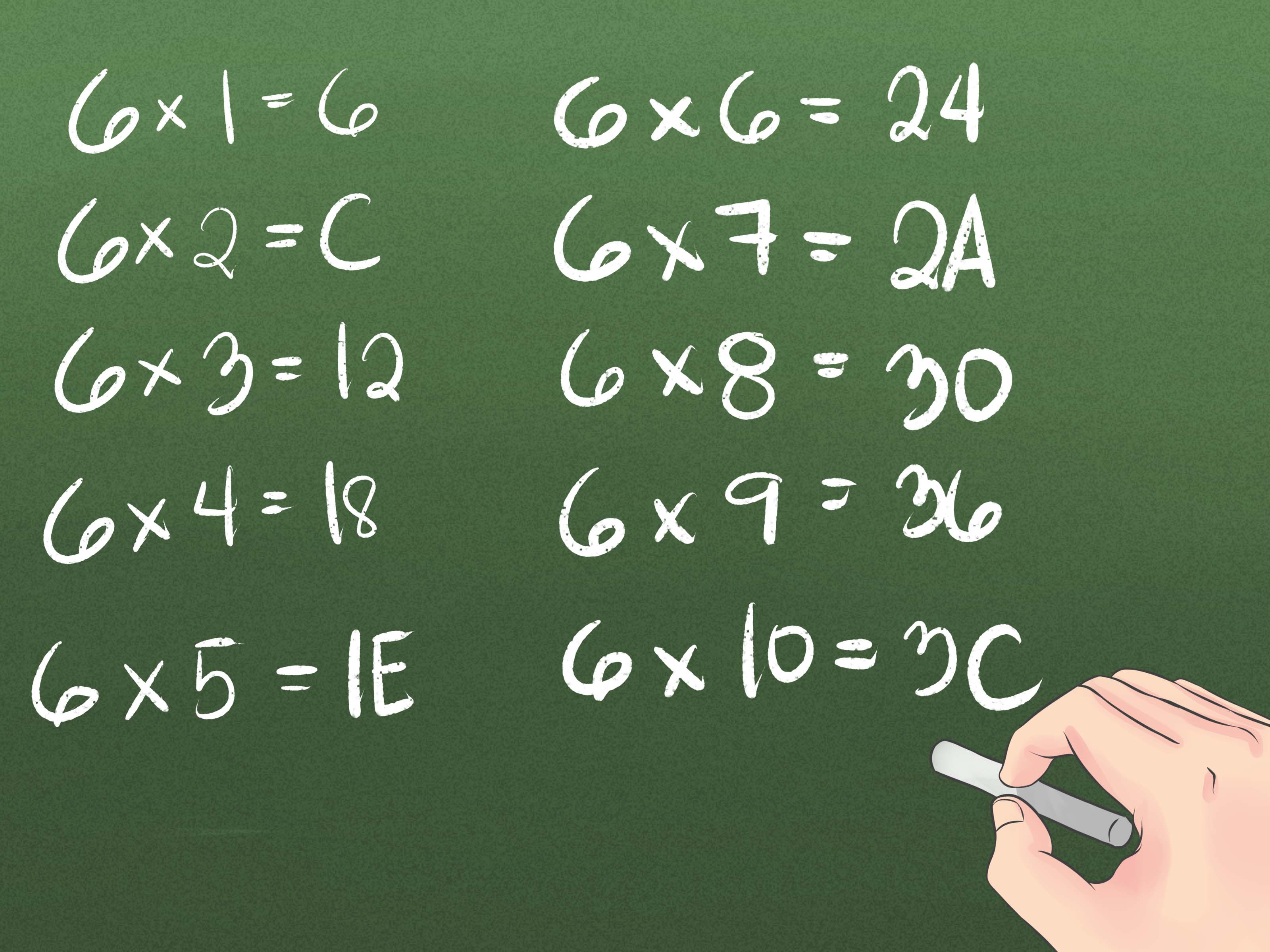
Hexadecimal sounds like a word a robot would whisper before launching a spreadsheet into space. Fortunately, it is much friendlier than it looks. In plain English, hexadecimal is a base-16 number system. Instead of counting with ten symbols like decimal does, hexadecimal uses sixteen symbols: 0, 1, 2, 3, 4, 5, 6, 7, 8, 9, A, B, C, D, E, and F.
That tiny alphabet soup is not there to impress programmers at coffee shops. It solves a real problem: computers think in binary, but long strings of 1s and 0s are exhausting for humans. Hexadecimal, often shortened to “hex,” gives people a compact way to read, write, and understand computer data without developing binary-induced eye twitching.
In this guide, we will explore three practical ways to understand hexadecimal: by seeing it as a counting system, by connecting it to binary, and by recognizing it in everyday technology such as web colors, programming, memory addresses, character codes, and IPv6 addresses.
What Is Hexadecimal?
Hexadecimal is a positional number system based on sixteen. The word itself comes from “hexa,” meaning six, and “decimal,” meaning ten. Put them together and you get sixteen. Yes, math occasionally names things like it is assembling furniture from two leftover parts.
In decimal, each digit position represents a power of 10. The number 247 means:
- 2 × 100
- 4 × 10
- 7 × 1
In hexadecimal, each position represents a power of 16. So the hex number 2F means:
- 2 × 16 = 32
- F = 15
- 32 + 15 = 47 in decimal
The important idea is that hexadecimal is not magic. It is simply another way to write values. Decimal is base 10 because each position rolls over after 9. Hexadecimal is base 16 because each position rolls over after F.
Way 1: Understand Hexadecimal as Counting with More Digits
The easiest way to understand hexadecimal is to stop thinking of A through F as letters for a moment. In hex, they are digits. They stand for values that decimal cannot represent with a single symbol.
The Hexadecimal Digit Table
| Decimal | Hexadecimal |
|---|---|
| 0 | 0 |
| 1 | 1 |
| 2 | 2 |
| 3 | 3 |
| 4 | 4 |
| 5 | 5 |
| 6 | 6 |
| 7 | 7 |
| 8 | 8 |
| 9 | 9 |
| 10 | A |
| 11 | B |
| 12 | C |
| 13 | D |
| 14 | E |
| 15 | F |
| 16 | 10 |
Notice what happens at decimal 16. Hexadecimal does not write it as G. Instead, it rolls over to 10, just like decimal rolls from 9 to 10. In hex, 10 means “one sixteen and zero ones.” That is why 10 in hexadecimal equals 16 in decimal.
How Hex Place Value Works
Let’s convert a slightly larger hex number: 3A7.
Each position has a value based on a power of 16:
- 7 is in the ones place: 7 × 1 = 7
- A is in the sixteens place: 10 × 16 = 160
- 3 is in the 256s place: 3 × 256 = 768
Add them together:
768 + 160 + 7 = 935
So hexadecimal 3A7 equals decimal 935. Not spooky. Not mystical. Just place value wearing a leather jacket.
Way 2: Connect Hexadecimal to Binary
Hexadecimal becomes truly useful when you connect it to binary. Computers store and process data using bits, which are values of 0 or 1. A group of four bits can represent sixteen possible combinations, from 0000 to 1111. That lines up perfectly with hexadecimal’s sixteen digits.
This is the secret handshake: one hexadecimal digit equals four binary bits.
Binary to Hex Conversion Table
| Binary | Hexadecimal |
|---|---|
| 0000 | 0 |
| 0001 | 1 |
| 0010 | 2 |
| 0011 | 3 |
| 0100 | 4 |
| 0101 | 5 |
| 0110 | 6 |
| 0111 | 7 |
| 1000 | 8 |
| 1001 | 9 |
| 1010 | A |
| 1011 | B |
| 1100 | C |
| 1101 | D |
| 1110 | E |
| 1111 | F |
Suppose you see this binary number:
Reading eight bits at once can be annoying. So split it into groups of four:
Now convert each group:
- 1101 = D
- 0110 = 6
So binary 11010110 becomes hexadecimal D6. Much easier, right? Binary is the long grocery receipt. Hex is the tidy total at the bottom.
Why Programmers Like Hexadecimal
Programmers, hardware engineers, network specialists, and cybersecurity analysts often use hexadecimal because it is compact and maps neatly to binary. A byte contains eight bits. Since one hex digit represents four bits, one byte can be written as two hex digits.
For example:
That is a huge readability upgrade. Imagine reading a memory dump, color value, file signature, or machine instruction in endless binary. You would need strong coffee and possibly a support group. Hexadecimal reduces the clutter while preserving the exact value.
Way 3: Recognize Hexadecimal in Real Life
Hexadecimal is not just a classroom topic. It shows up all over modern technology. Once you know what to look for, you start seeing hex everywhere. It is like learning a new word and suddenly hearing it in every podcast, except this time the word might be #FF5733.
Hexadecimal in Web Colors
If you have ever worked with HTML, CSS, design software, or a color picker, you have probably seen hex color codes. A common format looks like this:
The first two digits control red, the next two control green, and the final two control blue. Each pair ranges from 00 to FF, which equals 0 to 255 in decimal.
For example:
#000000means black because red, green, and blue are all zero.#FFFFFFmeans white because red, green, and blue are all at maximum.#FF0000means red because red is maxed out while green and blue are zero.#00FF00means green.#0000FFmeans blue.
This is one of the most practical ways to understand hexadecimal. You are not just converting numbers; you are controlling light. That sounds dramatic, but it is technically true, and we should take our tiny victories where we can.
Hexadecimal in Programming
Many programming languages use prefixes to show that a number is hexadecimal. In languages influenced by C, including C#, JavaScript, Java, Python, and others, you often see 0x before a hex number.
Python also has a built-in hex() function that converts an integer into a hexadecimal string. For example, hex(255) returns 0xff. In C# and related environments, hexadecimal literals commonly use the 0x or 0X prefix.
Programmers use hex to represent flags, masks, memory addresses, byte values, encoded characters, and low-level data. It is especially useful when you need to inspect exactly what a computer is storing, sending, or receiving.
Hexadecimal in Character Encoding
Character codes often appear in hexadecimal. For instance, ASCII and Unicode values can be represented in hex to show the numerical code behind a character. In C-style escape sequences, \x20 represents the space character. In Unicode notation, values often appear with a U+ prefix, such as U+0041 for the capital letter A.
This matters because computers do not store letters as tiny drawings of letters. They store numbers. Character encoding is the agreement that says, “This number means this symbol.” Hexadecimal gives us a compact way to write those numbers.
Hexadecimal in IPv6 Addresses
IPv6 addresses also use hexadecimal. A full IPv6 address is written as eight groups of four hexadecimal digits separated by colons. For example:
That looks intense, like a Wi-Fi router sneezed into a password field. But the structure is logical. Each group represents 16 bits, and all eight groups together represent a 128-bit address. Hexadecimal makes the address shorter and more manageable than writing 128 individual binary digits.
How to Convert Decimal to Hexadecimal
To convert decimal to hexadecimal, divide the decimal number by 16 and track the remainder. Repeat until the quotient is zero. Then read the remainders from bottom to top.
Example: Convert 255 to Hexadecimal
- 255 ÷ 16 = 15 remainder 15
- 15 ÷ 16 = 0 remainder 15
In hex, 15 is F. Read the remainders from bottom to top:
Example: Convert 42 to Hexadecimal
- 42 ÷ 16 = 2 remainder 10
The quotient is 2, and the remainder 10 becomes A. So:
This is why programmers love using 0x2A as a classic example. It is short, neat, and just nerdy enough to feel official.
How to Convert Hexadecimal to Decimal
To convert hexadecimal to decimal, multiply each digit by its place value and add the results.
Example: Convert 1F4 to Decimal
Break it into positions:
- 1 is in the 256s place: 1 × 256 = 256
- F is in the 16s place: 15 × 16 = 240
- 4 is in the ones place: 4 × 1 = 4
Add the values:
So hexadecimal 1F4 equals decimal 500.
Common Mistakes When Learning Hexadecimal
Mistake 1: Treating A Through F as Letters Instead of Digits
In normal writing, A is a letter. In hexadecimal, A is a digit worth 10. B is 11, C is 12, D is 13, E is 14, and F is 15. Once this clicks, hex starts feeling far less strange.
Mistake 2: Thinking 10 Always Means Ten
In decimal, 10 means ten. In hexadecimal, 10 means sixteen. The written symbols are the same, but the base changes their meaning. Context matters. A “10” on your birthday cake is very different from a “10” in a hex editor.
Mistake 3: Forgetting That Hex Is Case-Insensitive in Many Contexts
Hex digits may appear as uppercase or lowercase. For example, FF and ff usually mean the same value. Some style guides prefer lowercase, especially in networking contexts, while many educational materials use uppercase because it is easier to read.
Why Hexadecimal Matters
Hexadecimal matters because it sits between human readability and machine precision. Binary is exact but long. Decimal is familiar but awkward for computer data. Hexadecimal gives us a compact language that matches binary cleanly while remaining readable to humans.
You do not have to be a software engineer to benefit from understanding hex. Web designers use hex color codes. Students use it in computer science courses. Network administrators see it in IPv6. Developers use it in debugging. Cybersecurity analysts inspect it in packet captures, file headers, encoded strings, and memory dumps.
Even if you never write a line of low-level code, understanding hexadecimal gives you a clearer view of how digital systems represent information. It is one of those small concepts that unlocks a surprising number of doors.
Practical Exercises to Learn Hexadecimal Faster
Exercise 1: Count from 0 to 32 in Hex
Write decimal numbers from 0 to 32 and place their hexadecimal equivalents beside them. Pay attention to what happens after 9, after F, and after 1F. This builds the mental habit of seeing hex as a counting system rather than a mysterious code.
Exercise 2: Convert Binary in Groups of Four
Take a binary number such as 1010110011110000. Split it into groups of four:
Now convert each group:
So the hexadecimal form is ACF0.
Exercise 3: Decode Simple Hex Colors
Look at hex color codes and guess what color they represent. For example, #FF0000 is red, #00FF00 is green, and #0000FF is blue. Then try mixed values like #FFFF00, which combines red and green to make yellow.
Experiences Related to Understanding Hexadecimal
The first time many people meet hexadecimal, it feels unnecessarily dramatic. Decimal already works. Why bring letters into math? Isn’t math already wearing enough accessories? But the moment hexadecimal connects to binary, the whole thing becomes less like a puzzle and more like a shortcut.
One common learning experience happens in web design. A beginner opens a CSS file and sees something like color: #333333;. At first, it looks like a coupon code for a very boring discount. Then the pattern appears: two digits for red, two for green, two for blue. Suddenly #000000 and #FFFFFF make sense. The color picker is not doing sorcery; it is simply giving numeric instructions to the screen.
Another memorable experience comes from programming. A student may see 0xFF in code and assume it is a typo, a secret password, or an angry emoticon. Then they learn that FF equals 255, the maximum value of one unsigned byte. That single discovery explains why 255 appears so often in color channels, networking, file formats, and old-school computing examples. The number stops being random and starts being a clue.
Debugging also teaches hex quickly. When something breaks at a low level, tools may show memory addresses, error codes, byte sequences, or encoded characters in hexadecimal. At first, those values look cold and unfriendly. But with practice, patterns emerge. Repeated values like 00, FF, 20, or 0A begin to feel familiar. You may not understand every byte immediately, but you are no longer staring into the digital fog.
Networking offers another practical encounter. IPv6 addresses are long, but hexadecimal keeps them from being absurdly longer. Imagine trying to write a 128-bit address in binary every time you configured a server. That would be less “network administration” and more “monk copying manuscripts by candlelight.” Hexadecimal compresses the representation while keeping it mathematically exact.
There is also a psychological shift. Learning hexadecimal reminds you that number systems are human-made tools. Decimal feels natural mostly because we use it every day, not because the universe declared ten to be the champion of arithmetic. Binary, decimal, and hexadecimal are different lenses for the same values. Once you see that, switching bases becomes less intimidating.
A useful personal trick is to memorize the powers of 16 up to a reasonable point: 1, 16, 256, 4096, and 65536. You do not need to become a walking calculator. Just knowing these landmarks makes hex numbers feel less alien. When you see 100 in hex, you can recognize it as 256 in decimal. When you see 1000, you know it is 4096. These anchors make conversion faster and less stressful.
Another helpful habit is to connect hex to things you can see. Change a website color from #000000 to #FF0000. Convert your age into hexadecimal. Open a programming language console and try converting numbers with built-in functions. Turn learning into tiny experiments. Hexadecimal becomes easier when it stops living only in textbooks and starts showing up in buttons, colors, code, addresses, and real tools.
The best experience of all is the moment you realize hexadecimal is not trying to be difficult. It is trying to be efficient. It gives humans a cleaner way to talk about binary data. Once that idea lands, hex becomes less of a monster and more of a translator. A slightly nerdy translator, yes, but a very useful one.
Conclusion
Hexadecimal is one of the most useful number systems in computing because it makes binary data easier to read and write. The three best ways to understand hexadecimal are simple: first, treat it as base-16 counting; second, connect each hex digit to four binary bits; and third, notice how often it appears in real technology, from CSS colors and programming literals to character codes and IPv6 addresses.
Once you understand those three ideas, hexadecimal stops looking like a secret code and starts looking like a practical tool. It is compact, logical, and surprisingly elegant. It may still sound like something from a science-fiction control panel, but now you know what the buttons mean.
Note: This article is written in original standard American English for web publication, with clean HTML body content and no embedded source-reference tags.