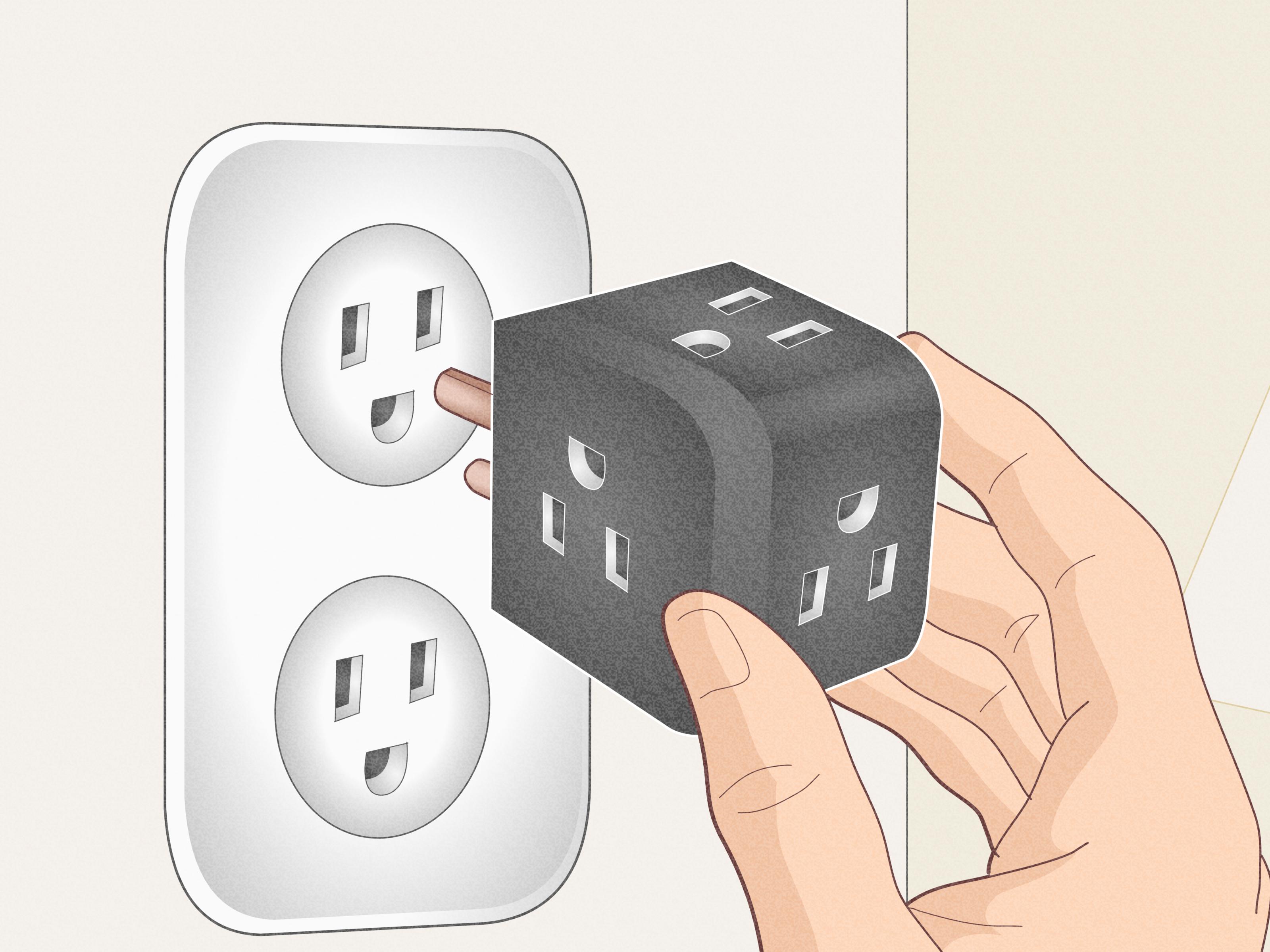
A power strip is one of those useful little home gadgets that somehow always looks guilty. It helps charge your phone, run your router, power your desk lamp, keep your gaming setup alive, and prevent your laptop from dramatically dying at 3 percent. Yet the moment it appears on the floor, it turns a polished room into something that feels like the back of a TV repair shop.
The good news is that learning how to hide a power strip does not require a renovation budget, a degree in electrical engineering, or a secret tunnel behind your baseboards. With the right cable management ideas, you can conceal a power strip safely while keeping your outlets accessible, your cords organized, and your room looking calm instead of chaotic.
Before we start tucking things away, let’s say the unglamorous but important part: never hide a power strip in a way that traps heat, crushes cords, creates a trip hazard, or makes it hard to unplug devices quickly. A hidden power strip should still have ventilation, should be rated for the devices plugged into it, and should never be daisy-chained into another power strip. In other words, the goal is “tidy and safe,” not “electrical hide-and-seek champion.”
Below are six easy, renter-friendly, homeowner-friendly, and sanity-friendly ways to hide a power strip without turning your home into a cable jungle.
Why Hiding a Power Strip Matters
Visible cords may seem like a small design problem, but they can affect the entire feel of a room. A clean desk looks more productive. A living room without tangled wires feels more intentional. A bedroom nightstand without a charger octopus looks less like a technology nest. Power strip organization is one of those small upgrades that quietly makes everything else look better.
There is also a practical side. A messy power strip on the floor collects dust, gets kicked around, and can become a magnet for pet hair, lost snacks, and mysterious crumbs that nobody in the house will admit to creating. When cords are bundled, labeled, lifted, and routed properly, cleaning becomes easier and unplugging the right device becomes less of a guessing game.
1. Use a Cable Management Box
A cable management box is the easiest answer for most rooms. It is basically a stylish container designed to hold a power strip and extra cord length while allowing cables to pass through side openings. Think of it as a tiny apartment for your power strip, minus the rent increase.
Best Places to Use It
Cable management boxes work beautifully in living rooms, bedrooms, home offices, dorm rooms, gaming setups, and media consoles. Place one under a desk, beside a TV stand, behind a nightstand, or on a low shelf where the power strip needs to stay accessible but not visually loud.
How to Do It Safely
Choose a box large enough for the power strip to sit comfortably without bending plugs sharply. Look for side openings, a removable lid, and enough breathing room so the strip is not packed in like a suitcase before a long vacation. Avoid stuffing paper, fabric scraps, or random clutter inside the box. The box should hide cords, not become a junk drawer with electricity.
For a clean setup, place the power strip inside, route each cord through the nearest opening, and use hook-and-loop cable ties to shorten excess cable. Label the cords if several devices are plugged in. Future you will be deeply grateful when you do not unplug the router while trying to disconnect a lamp.
2. Mount the Power Strip Under a Desk or Table
If your power strip lives under your desk, mounting it underneath the desktop can instantly improve your workspace. Instead of lying on the floor like a tired snake, the strip stays lifted, hidden, and easier to reach.
Why This Works
Under-desk mounting keeps cords off the floor, reduces dust buildup, and helps prevent accidental kicks. It is especially useful for home offices where you plug in a monitor, laptop charger, desk lamp, speakers, printer, or phone charger. This method also makes vacuuming less dramatic. Nobody should have to fight a knot of cords just to clean under a chair.
How to Install It
Many power strips include keyhole slots on the back for mounting. You can use screws if the desk allows it, or heavy-duty adhesive mounting strips rated for the weight if you need a renter-friendly option. Mount the strip where plugs can be inserted without straining the cords. Then guide the cables along the underside or back leg of the desk using adhesive cable clips or a desk cable tray.
Do not mount a strip where it will be bumped by your knees all day. Also avoid placing it directly against soft materials or enclosing it tightly. The setup should feel organized, not like the power strip has been banished to a cramped cave.
3. Hide It Behind Furniture With Cord Clips
Sometimes the easiest way to hide a power strip is to let furniture do the visual heavy lifting. A sofa, console table, media cabinet, nightstand, or bookshelf can shield the strip while clips guide the cords neatly along the back.
Smart Furniture Spots
Behind a TV console is perfect for streaming devices, lamps, speakers, and gaming consoles. Behind a nightstand works well for phone chargers, alarm clocks, reading lamps, and white noise machines. Behind a sofa can power floor lamps or side-table chargers without leaving a cord trail across the room.
Make It Look Intentional
The trick is not simply shoving the power strip behind furniture and pretending the problem has moved to another zip code. First, check that the strip has airflow and is not wedged tightly against the wall. Next, route the main cord neatly to the outlet. Then use adhesive cord clips on the back of the furniture to hold charging cables in straight lines.
If the furniture has open legs, choose clips or cable sleeves in a similar color so they blend in. Black cords on black furniture disappear nicely. White cords against white walls do the same. Matching colors is the cable management version of camouflage, and yes, your living room deserves tactical elegance.
4. Use a Decorative Basket or Open Bin
A basket is one of the most charming ways to hide a power strip, especially in cozy spaces where a plastic organizer box might look too office-like. A woven basket, open bin, or decorative storage container can soften the appearance of cords while keeping everything in one place.
Where This Method Shines
This works well near sofas, reading chairs, nursery rockers, entryway benches, and bedroom corners. If you charge tablets, headphones, smartwatches, or handheld game devices, a basket can create a simple charging station that looks like decor instead of a tech spill.
Important Safety Tips
Use an open basket or one with generous gaps for ventilation. Avoid fully sealing a power strip inside a fabric-lined container. Do not bury the strip under blankets, magazines, toys, or anything flammable. Keep the strip visible enough that you can inspect it occasionally and unplug devices when needed.
For best results, place the power strip at the bottom or side of the basket, bundle extra cord length with reusable ties, and route charging cables over the edge. Add a small label tag to each cable if multiple people use the station. This prevents the classic household mystery: “Whose charger is this, and why does it only work at a 37-degree angle?”
5. Install a Cord Raceway Along the Wall or Baseboard
A cord raceway is a slim channel that sticks or mounts to a wall, baseboard, or furniture edge. While it does not usually hide the power strip itself, it hides the cords leading to and from it, which is half the battle. If the strip is tucked behind a TV stand or desk, a raceway makes the remaining cable path look clean and built-in.
Why Raceways Are Great for Visible Walls
Raceways are especially helpful for wall-mounted TVs, standing desks, workstations, and rooms where the outlet is not exactly where common sense would have placed it. They come in different sizes and colors, and many can be painted to match the wall. Once painted, a raceway often blends in so well that guests will not notice it unless they are the type of person who inspects baseboards at parties.
How to Use a Raceway
Measure the path from the outlet to the hidden power strip or device area. Choose a raceway wide enough for the number of cords you need to route. Clean the wall or baseboard before applying adhesive. Cut the raceway to length, place the cords inside, snap on the cover, and paint it if desired.
Do not overload a narrow channel with too many thick cords. Avoid sharp bends, pinched cables, or routing cords through doorways where they can be crushed. The clean look should come from neat guidance, not from forcing cords into submission.
6. Create an In-Drawer Charging Station
If your biggest power strip problem is a pile of chargers on a nightstand, kitchen counter, or desk, an in-drawer charging station may be the most satisfying solution. It keeps small electronics out of sight while they charge, leaving the surface clear for things humans actually enjoy looking at, like a lamp, a book, or coffee that has not gone cold yet.
Good Uses for Drawer Charging
This method is ideal for phones, earbuds, tablets, watches, power banks, and small USB-powered devices. It works in a home office drawer, kitchen command center, bedroom nightstand, mudroom cabinet, or family charging zone.
How to Set It Up
The simplest version is to place a power strip in a drawer that has a rear cable opening or a safe path for the cord. Some desks and cabinets already have grommet holes. If yours does not, homeowners may choose to add one carefully, while renters can use a drawer that closes without pinching the cord. The cord should move freely and should not be crushed by the drawer track.
Use short charging cables whenever possible. Add small dividers or trays so devices do not pile on top of one another. Keep the drawer slightly organized and check it regularly for damaged cables. A drawer charging station should feel like a calm little tech garage, not a drawer full of electronic spaghetti.
Power Strip Safety Rules You Should Not Ignore
Hiding a power strip is only a good idea when safety comes first. Always use a power strip that is listed by a recognized testing laboratory and rated for your devices. Check the strip for damage, loose outlets, frayed cords, scorch marks, or plugs that feel hot. If anything looks suspicious, replace it. Power strips are cheaper than house problems, and that is the kind of math everyone can enjoy.
Never plug one power strip into another. This is called daisy-chaining, and it can overload circuits or create unsafe conditions. Plug the power strip directly into a wall outlet. Also avoid using power strips for high-wattage appliances such as space heaters, microwaves, refrigerators, toaster ovens, or portable air conditioners. Those devices should usually go directly into a wall outlet according to manufacturer instructions.
Do not run cords under rugs, carpets, doors, or heavy furniture. It may look tidy for five minutes, but hidden pressure and heat can damage cords over time. Instead, use floor cord covers where cords must cross an open area, or rearrange furniture so cords can travel along walls and baseboards.
Finally, keep power strips away from water, curious pets, and small children. A hidden setup should still be easy to inspect. If you have to disassemble half the room to check the strip, it is too hidden.
How to Choose the Best Method for Your Room
The best way to hide a power strip depends on where it lives. For a home office, under-desk mounting plus a cable tray is usually the cleanest solution. For a living room, a cable management box behind the media console can handle routers, speakers, streaming devices, and gaming systems. For a bedroom, an in-drawer charging station or decorative basket can make the nightstand feel peaceful again.
For renters, focus on removable options: adhesive clips, cable sleeves, open baskets, cord boxes, and peel-and-stick raceways. For homeowners, you may have more flexibility with mounted raceways, built-in charging drawers, furniture modifications, or outlet placement upgrades performed by a licensed electrician.
The key is to keep access in mind. If you unplug devices often, avoid hiding the strip too deeply. If the strip powers items you rarely touch, a box or mounted location may be perfect. A beautiful setup that makes daily life annoying is not organization; it is decoration wearing a fake mustache.
Common Mistakes When Hiding a Power Strip
One common mistake is choosing a container that is too small. When plugs press against the lid or cords bend sharply, the setup becomes awkward and potentially damaging. Another mistake is hiding the power strip so well that nobody can reach the switch. If your strip has surge protection or an on-off button, leave it accessible.
Another issue is ignoring cord length. Extra-long cords create loops and tangles, while too-short cords pull at plugs. Use the right cable length when possible, and bundle extra slack gently with reusable ties. Avoid zip ties tightened too aggressively because they can pinch cables.
People also forget to clean. A hidden power strip can still collect dust, especially behind furniture. Every month or two, unplug devices as needed and remove dust from the area. Your power strip does not need a spa day, but it does appreciate not being buried under a dust sweater.
Experience Section: What Actually Works in Real Homes
In real homes, the best power strip hiding method is usually the one that matches your habits, not the one that looks best in a staged photo. A cable management box looks fantastic under a desk, but if you plug and unplug a laptop charger five times a day, you may get tired of lifting the lid. In that case, mounting the power strip under the desk with one easy-to-reach side facing you may be more practical.
For living rooms, the biggest challenge is usually the media console. Between the TV, streaming device, soundbar, game console, router, modem, and maybe a lamp, the back of the cabinet can quickly become a cord convention. The most effective setup is to first unplug everything, wipe the area, and decide what actually needs to stay. Old HDMI cables, mystery chargers, and devices nobody has used since 2018 should not get VIP access to your power strip. Once the area is reduced to essentials, a cable management box can hold the strip while cord clips guide each cable along the back of the furniture.
Bedrooms need a different approach because convenience matters. Nobody wants to crawl behind a nightstand at midnight to plug in a phone. A small open basket beside or behind the nightstand works surprisingly well. It hides the power strip, keeps chargers together, and still lets you grab the right cable from bed. For an even cleaner look, use short charging cables and attach cable clips near the back edge of the nightstand so the tips do not fall to the floor. This tiny detail saves you from fishing behind furniture like you are trying to catch a very boring electric eel.
Home offices benefit most from vertical thinking. The floor is rarely the best place for a power strip. Once the strip is mounted under the desk or placed in a cable tray, the entire workstation feels lighter. Chair wheels stop attacking cords. Feet stop kicking plugs loose. The desk surface becomes easier to clean. If you use a standing desk, leave enough slack for the desk to move fully up and down without pulling on the outlet or devices.
For families, labeling is the underrated hero. A hidden power strip can become confusing when six black cords disappear into one box. Simple labels such as “router,” “lamp,” “TV,” and “charger” prevent accidental unplugging. This is especially useful when resetting internet equipment, moving furniture, or troubleshooting a device. Labeling cords may not feel glamorous, but neither does turning off the Wi-Fi during homework time because you guessed wrong.
The biggest lesson from everyday experience is this: do not hide a power strip so completely that maintenance becomes impossible. The best setup disappears visually but remains easy to inspect, clean, and adjust. A power strip is a tool, not a buried treasure. Keep it neat, keep it safe, and let your room enjoy the rare luxury of not looking like it is powered by a bowl of noodles.
Conclusion
Hiding a power strip is one of the quickest ways to make a room feel cleaner, calmer, and more thoughtfully designed. Whether you choose a cable management box, an under-desk mount, furniture clips, a decorative basket, a wall raceway, or an in-drawer charging station, the goal is the same: reduce visual clutter while keeping power safe and accessible.
The best cable management solution is not always the fanciest one. It is the one that fits your room, supports your daily routine, and avoids unsafe shortcuts. Start with one messy spot, organize the cords, choose a safe hiding method, and enjoy the strange but real joy of looking at a floor with no cable chaos. It is a small home upgrade, but your eyes, your vacuum, and your future self will thank you.