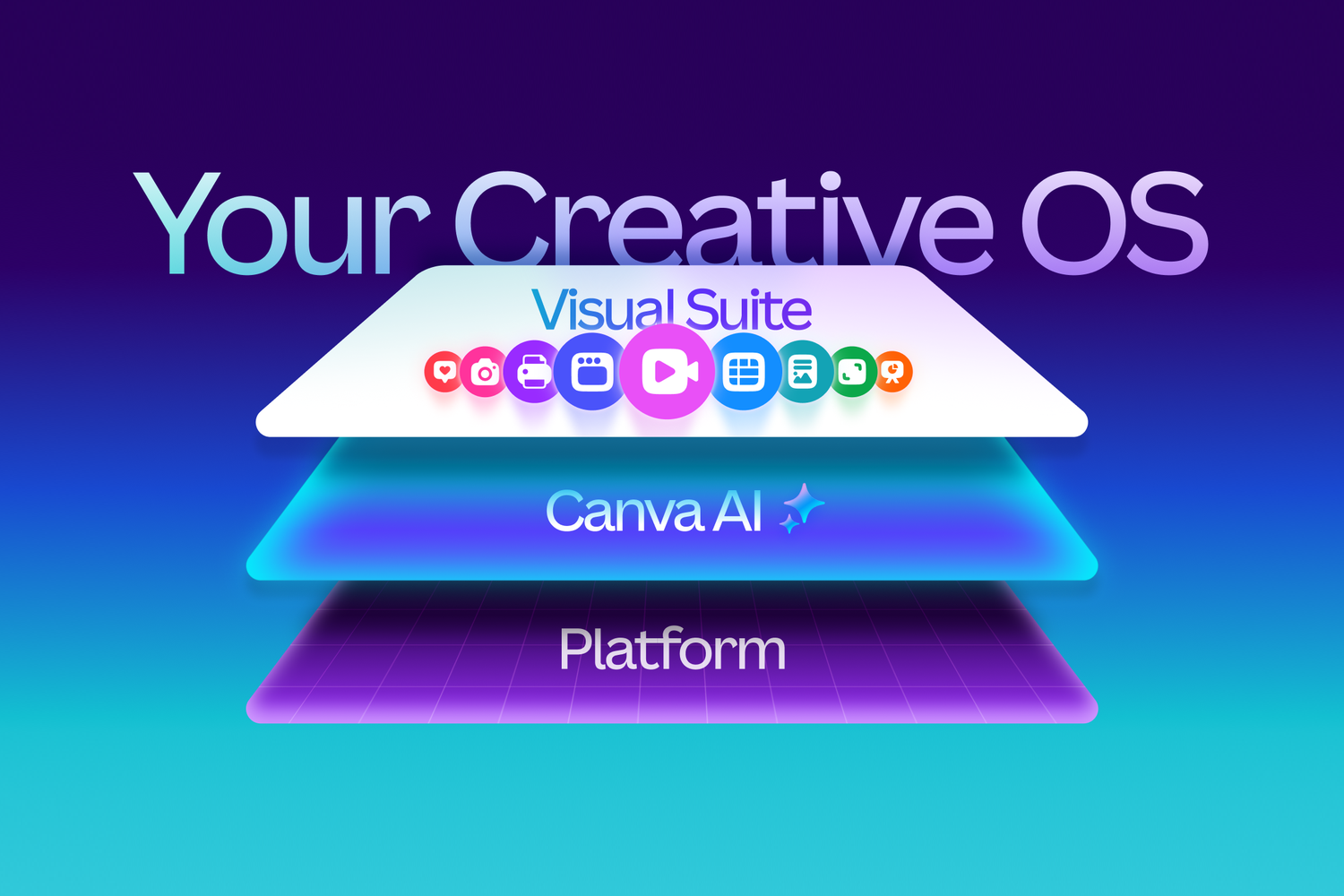
Canva did not just show up with a fresh coat of digital paint and call it innovation. It kicked open the door, rolled out a new “Creative Operating System,” and then tossed Affinity into the crowd for free like a headliner throwing merch at a sold-out arena. For marketers, designers, educators, and small businesses, this was not a polite little update. It was a loud repositioning.
The big idea behind the Canva redesign launch is simple: Canva no longer wants to be known as the friendly drag-and-drop tool people use to make Instagram posts while pretending they totally meant to use that font pairing. It wants to become the place where work starts, designs get made, campaigns get shipped, and brand systems stay intact. In other words, Canva is aiming beyond “design app” and squarely at “creative infrastructure.”
That matters because the launch did two things at once. First, it expanded Canva’s own universe with a broader Creative OS that blends design, AI, publishing, and marketing workflows. Second, it made the all-new Affinity free, pulling professional-grade vector, photo, and layout tools into Canva’s orbit. That combination is what makes this launch more than a redesign story. It is a strategy story, a pricing story, and for Adobe, probably an “uh-oh” story.
Why Canva’s Redesign Matters More Than a New Interface
Plenty of tech companies love the word “redesign” because it sounds stylish and harmless. Canva’s version was neither. The company had already started laying the groundwork at Canva Create 2025 with Visual Suite 2.0, which merged documents, presentations, whiteboards, websites, video, and more into a more connected workspace. By the time Creative OS arrived, Canva was not just redesigning screens. It was redesigning the workflow itself.
That distinction is important. A normal redesign asks, “How can we make this prettier?” Canva’s redesign asks, “How can we keep users from leaving?” If a team can brainstorm in a whiteboard, write a brief in a doc, build a presentation, design a landing page, create an email, add a form, publish assets, and analyze campaign performance without hopping across five different tools, Canva wins time, data, and loyalty. That is the kind of “redesign” finance people love and competitors hate.
It also explains why Canva is leaning so hard into the phrase Creative Operating System. The wording may sound dramatic, but the ambition is clear: Canva wants to be the hub where creativity, productivity, and brand execution all live together instead of awkwardly waving at each other across browser tabs.
What Canva Actually Launched Under Creative OS
A reimagined Visual Suite
At the core of Canva’s Creative OS is a bigger, more connected Visual Suite. This is where Canva tries to turn “design tool” into “all-purpose creative workspace.” Instead of treating docs, decks, videos, websites, and interactive assets as separate islands, Canva keeps pushing them into one collaborative environment.
That approach became much more obvious with features such as Video 2.0, Canva Forms, Email Design, and tighter links between Canva Sheets and Canva Code. Video 2.0 is meant to feel more powerful without becoming intimidating. Canva Forms adds interactive data collection to designs and websites. Email Design gives users a way to create polished HTML emails without building them elsewhere. Canva Code and Canva Sheets work together so teams can generate data-driven, interactive content with less duct tape and fewer panic attacks.
For marketers, that means less switching between tools that were never built to speak the same language. For teams, it means campaigns can move from concept to launch with fewer handoff disasters. For anyone who has ever versioned a file as final_final_v7_reallyfinal, this is a quality-of-life upgrade.
AI that understands design, not just prompts
One of the more ambitious parts of the launch is Canva’s design-focused AI layer. Canva says its Design Model understands structure, layering, hierarchy, and branding so it can create editable outputs instead of flattening everything into a static AI image. That is a bigger deal than it sounds.
Lots of AI tools are decent at producing a flashy first draft. Far fewer are good at making something that a real team can open, tweak, repurpose, localize, and publish without rebuilding half the thing from scratch. Canva is clearly chasing that second category. It wants AI to speed up the ugly middle of creative work, not just generate pretty experiments for five minutes of office excitement.
The result is a platform that increasingly behaves like a creative assistant embedded in the workflow. You can brainstorm, generate layouts, refine visuals, draft copy, and adjust assets while staying inside the same ecosystem. That is much more useful than an AI sidecar parked somewhere else on the internet waiting for you to copy and paste.
Brand systems and growth tools for businesses
The Creative OS rollout also pushes Canva further into brand management and performance marketing. Canva Grow and the newer Brand system are not really about helping someone make a prettier birthday invitation. They are about helping organizations create on-brand content faster, publish it, and track how it performs.
This is where Canva starts looking less like a lightweight design helper and more like a practical workspace for modern marketing teams. A company can centralize logos, templates, colors, messaging, and brand rules, then use AI to generate campaign variations that still look like they belong to the same organization. In a world where every team is trying to do more with fewer people and about fourteen thousand assets per quarter, that matters.
It also helps explain a criticism from some observers: calling it an “operating system” may be bold branding, but in practice it behaves more like a unified creative and marketing workspace. Honestly, that is still a huge move. It just sounds slightly less sci-fi and slightly more billable.
The All-New Affinity Going Free Is the Real Shockwave
If Creative OS is the headline, free Affinity is the plot twist that made designers sit up straighter. Canva acquired Affinity in March 2024 to strengthen its position against Adobe. At first, that was already a meaningful signal. Canva was no longer content serving only casual users and office teams. It wanted credibility with professional creatives too.
Then came the bigger swing. In October 2025, Canva relaunched Affinity as a redesigned, all-in-one professional design app that combines vector, photo, and layout tools in a single experience, and made it free for everyone. No subscription. No crippled version. No “free” plan that immediately behaves like a haunted upsell funnel.
That move changes the conversation in at least three ways.
First, it removes cost as a barrier for students, freelancers, side-hustlers, nonprofits, and teams that want professional tools without committing to expensive subscriptions. Before the wider free rollout, Canva had already opened Affinity free access to verified Education and Nonprofits users. The broader free launch turned that access play into a market-wide statement.
Second, it simplifies pro workflows. Instead of treating photo editing, vector creation, and page layout as separate destinations, the all-new Affinity brings them together in one app. Designers can personalize their workspace, mix tools across modes, and share custom studios. That is not a tiny convenience. It reduces context switching, which is one of the biggest invisible taxes in creative work.
Third, it gives Canva a clean two-layer strategy. Affinity handles high-craft professional creation. Canva handles collaboration, publishing, scaling, templating, AI-assisted production, and broader team usage. Put differently, Affinity becomes the precision tool, while Canva becomes the distribution engine. Together, they create a more compelling alternative to fragmented creative stacks.
Why Marketers Should Pay Attention to Free Affinity
At first glance, free Affinity sounds like a designer story. It is, but it is also a marketer story. Brand teams do not just need pretty assets. They need production systems. They need source files, quick edits, reusable campaign versions, and smoother collaboration between the design team and everyone else who somehow has opinions about kerning now.
When Affinity becomes free and tighter with Canva, the door opens for a more efficient handoff model. A designer can build polished assets in a pro-grade environment, then move those outputs into Canva for localization, resizing, publishing, and team collaboration. That lowers friction between expert creators and non-expert stakeholders. In plain English, it means fewer rounds of “Can someone export this one more time, but for LinkedIn, mobile, and the trade show display?”
It also gives smaller organizations a stronger stack without demanding enterprise-level software budgets. A lean startup, a scrappy nonprofit, or a growing in-house team can now access pro design tools and a broader creative workflow platform without setting fire to the finance department.
Canva vs. Adobe: Is This a Real Threat?
Yes, but with a footnote.
Adobe still owns enormous mindshare, deep professional workflows, and decades of market dominance. Serious creative teams are not going to throw every Adobe workflow into the sea just because Canva had a very confident launch event. But Canva does not need to win every workflow to be disruptive. It only needs to become good enough, cheap enough, and connected enough for a massive slice of the market to reconsider what they actually need.
That is where free Affinity matters. It gives Canva something Adobe has trouble matching elegantly: a strong price-value attack paired with a broader collaboration ecosystem. Adobe is excellent at professional tools. Canva is betting that the future belongs to professional creation plus team-wide execution in one connected environment.
And the broader market has been moving in Canva’s direction for a while. Creative work is no longer confined to a small design department. Marketers, founders, sales teams, educators, operations staff, and creators all touch visual communication now. Canva understands that messy reality extremely well. Adobe understands craft extremely well. The fight is not just about features. It is about where work happens.
The Business Strategy Behind the Launch
Making Affinity free sounds generous. It is also strategically ruthless.
Canva has said the free model is supported by its larger business, which includes millions of paying customers and billions in annualized revenue. That means the company can treat Affinity not only as a revenue source, but as a growth lever, a trust-building move, and a way to bring professional designers into the same ecosystem as everyday content creators.
This is a classic platform play. Give away the craft tool. Monetize the ecosystem around collaboration, premium AI, branded content operations, enterprise controls, and scalable production. That does not make the free offer fake. It makes it smart.
It also aligns with Canva’s broader arc. The company has spent years moving from quick-hit templates into docs, whiteboards, presentations, websites, AI tools, spreadsheets, code generation, and marketing workflows. Creative OS is the branding wrapper around that evolution. Free Affinity is the accelerant.
What the Launch Teaches Marketers and Creative Teams
Lesson one: workflow beats isolated features. A tool that saves ten clicks across five steps often matters more than one flashy feature nobody uses after Tuesday.
Lesson two: pricing can be positioning. By making Affinity free, Canva did not just lower cost. It made a statement about accessibility, goodwill, and competitive pressure.
Lesson three: AI is more valuable when it stays editable. Teams do not need more mysterious black boxes. They need outputs they can refine, brand, approve, and reuse.
Lesson four: collaboration is now part of the product, not an afterthought. Creative work increasingly involves marketers, designers, stakeholders, and data people all stepping on the same rug at different times. Tools that reduce friction win.
Lesson five: the line between “design software” and “work software” is getting blurrier by the quarter. Canva is not alone in chasing that future, but this launch makes its ambitions impossible to ignore.
Experience: What Canva’s New Creative OS Feels Like in Practice
In practical terms, the Canva redesign launch changes the experience of making content more than the experience of simply decorating it. That sounds like a subtle distinction, but it is the whole game. Before, many teams used Canva as the place where the final visual got assembled. Now Canva is trying to become the place where the process begins, evolves, and ships.
Imagine a small marketing team planning a product launch. The strategist drafts the campaign idea. The copy lead shapes the message. A designer builds core assets. A performance marketer needs ad variations. Someone else wants a landing page. Another person suddenly decides there should be an email sequence, a signup form, and probably a social teaser video because apparently sleep is for quitters. In older workflows, that project might be split across docs, design software, email builders, analytics dashboards, and messaging threads that age like milk.
With Canva’s new direction, the experience is more connected. The team can sketch the plan, build a deck, create web assets, produce email visuals, add forms, and repurpose content inside one broader environment. That does not magically remove meetings or opinions, sadly, but it can remove a lot of software friction. And friction, more often than not, is what turns good ideas into delayed campaigns.
For designers, the Affinity side of the story matters just as much. The all-new Affinity experience is designed to feel more unified, with vector, pixel, and layout tools in one app and customizable studios that fit different styles of work. That means a designer can stay in one professional environment longer instead of bouncing across separate apps for related tasks. Once the core visual system is built, that work can move into Canva for scaling, collaboration, and publishing. The handoff feels less like passing a baton and more like using connected lanes on the same track.
For solo creators and freelancers, the experience may be even more dramatic. Cost barriers drop. Tool-switching drops. The emotional tax of wondering whether you need three subscriptions and a prayer to look professional also drops. A freelancer can concept in Canva, design more deeply in Affinity, then return to Canva for client-facing variations and approvals. That is not just convenient. It makes a one-person business feel more capable.
Educators, nonprofits, and budget-conscious teams also stand to benefit from the psychological effect of this launch. Free professional tools change who gets to experiment. When the entry cost falls, more people try, learn, and improve. That matters because creativity is often gated not by talent, but by access. Canva has long sold the democratization story; free Affinity gives that story sharper teeth.
Of course, the experience will not be identical for everyone. Advanced Adobe users with highly specialized workflows may still prefer their existing stack. Large enterprises may still mix Canva with other systems. And some professionals will always treat “free forever” claims with the suspicion usually reserved for parking tickets and terms of service updates. Fair enough. But as a day-to-day creative experience, Canva’s redesign clearly aims to make the path from idea to execution shorter, cheaper, and less fragmented. For a lot of users, that is not just better software. That is a better workday.
Final Verdict
The Canva redesign launch is not memorable because the interface got shinier. It is memorable because Canva used the moment to redefine what it wants to be. Creative OS expands Canva from a design platform into a more ambitious creative workspace built around AI, brand systems, publishing, and workflow continuity. Free Affinity adds professional depth and economic shock value.
Together, those moves create a much stronger answer to a question a lot of teams are already asking: do we really need a pile of disconnected tools for every stage of creative work? Canva’s answer is, very clearly, no.
Whether Canva fully becomes the “Creative Operating System” it claims to be is still a story that will unfold over time. But one thing is already obvious: this launch was not a cosmetic refresh. It was a power move. And if you work in marketing, design, content, or brand operations, it is the kind of power move worth watching closely.