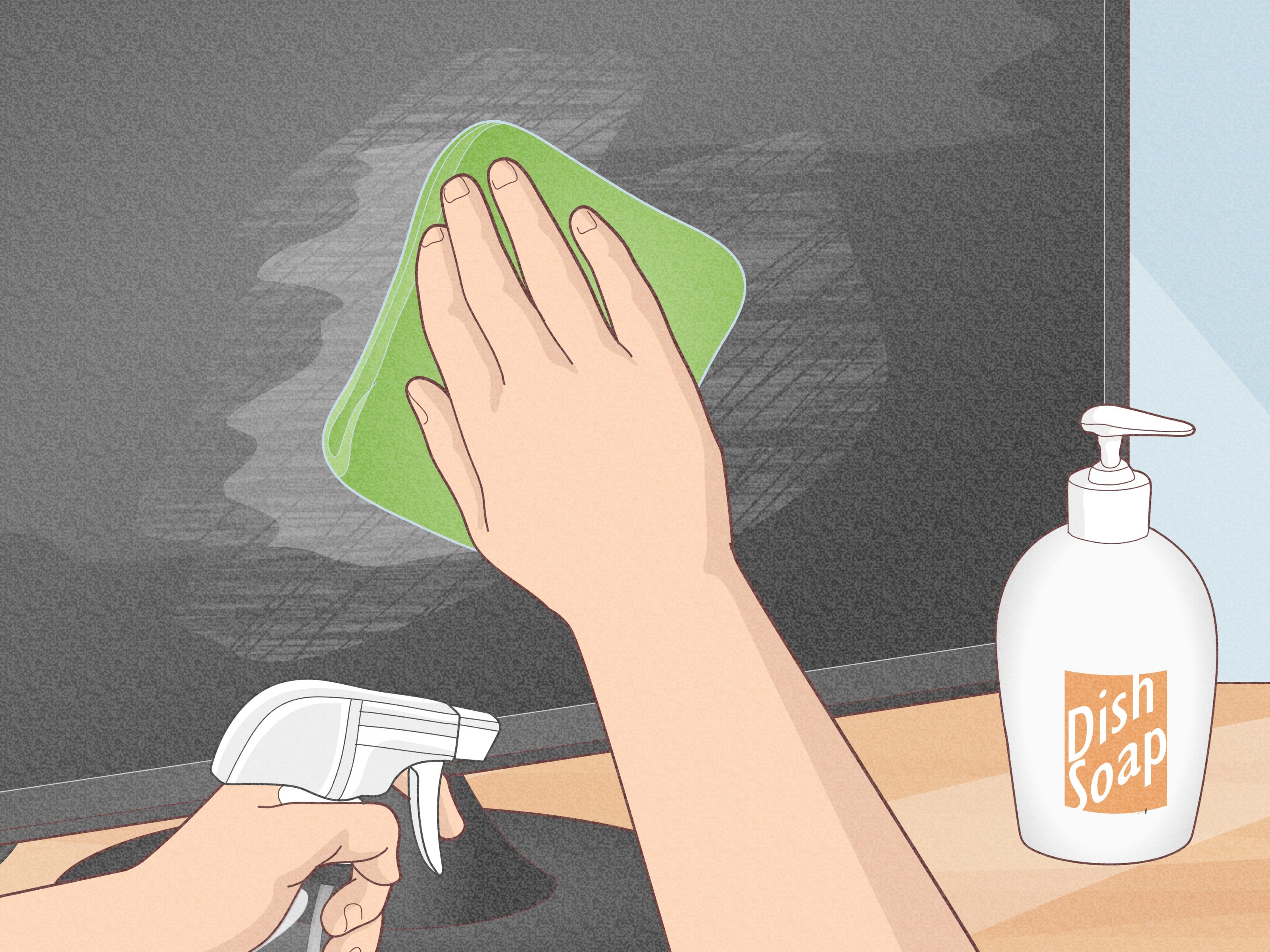
Flat screen TVs are dramatic. They deliver movie nights, game-day glory, binge-worthy streaming marathons, and the occasional “Why is there a tiny handprint in the middle of the screen?” mystery. Whether you own an LED, OLED, QLED, LCD, Mini-LED, or smart TV, keeping the screen clean is one of the easiest ways to protect picture quality and make your living room look less like a dust museum.
The tricky part is that modern TV screens are not old-school glass windows. Many have delicate coatings that reduce glare, improve contrast, and protect the panel. That means the bottle of blue glass cleaner under the sink is not invited to this party. Cleaning a flat screen TV the wrong way can leave streaks, scratches, cloudy patches, or even permanent damage. Cleaning it the right way is simple, cheap, and strangely satisfying.
This ultimate guide explains how to clean a flat screen TV safely, what supplies to use, what to avoid, how often to clean your screen, and how to deal with fingerprints, dust, greasy smudges, remote-control grime, and the mysterious dots that appear after children, pets, or snack-heavy movie nights visit your home.
Why Cleaning a Flat Screen TV Matters
A dusty TV does not just look bad when the screen is off. Dust, fingerprints, cooking grease, and airborne particles can dull the image when the screen is on. You may notice dark scenes looking muddy, bright colors appearing less crisp, or glare becoming more obvious. Before blaming your TV settings, your streaming service, or the universe, check the screen. Sometimes the “picture quality problem” is just a thin layer of living-room life.
Regular cleaning also protects the screen surface. Dust can act like fine grit if you rub it aggressively. Greasy fingerprints become harder to remove the longer they sit. And if moisture or cleaning solution gets into the bezel, ports, or vents, it can create electrical problems. The goal is not to scrub your TV like a casserole dish. The goal is gentle maintenance.
Before You Start: Know What Kind of Screen You Have
Most modern televisions fall into a few broad categories: LED, LCD, OLED, QLED, Mini-LED, and plasma or older flat panels. The safest cleaning method for nearly all of them is the same: turn the TV off, unplug it, use a clean microfiber cloth, apply very light pressure, and avoid spraying liquid directly onto the screen.
Still, your owner’s manual matters. Some manufacturers allow a slightly damp cloth with water. Some mention distilled water. A few may allow a specific screen-cleaning solution or a carefully used alcohol mixture for certain screen types. Others warn against alcohol completely. When in doubt, follow the instructions for your exact model. A TV manual is not thrilling literature, but it can save you from turning a smudge into a warranty-denying disaster.
Supplies You Need to Clean a Flat Screen TV
You do not need a luxury cleaning kit, a special wand, or anything sold with the phrase “space-age nano sparkle technology.” For most TVs, the best cleaning tools are simple.
Recommended Supplies
- Two clean microfiber cloths
- Distilled water for stubborn smudges
- A small spray bottle, used only to dampen the cloth
- A soft brush or dry cloth for vents and edges
- Cotton swabs for the remote control and tight areas
Why Microfiber Works Best
Microfiber is soft, lint-free, and designed to trap dust without dragging rough fibers across the screen. It is the same type of cloth often used for eyeglasses, camera lenses, and phone screens. A clean microfiber cloth can remove most dust and light fingerprints without any liquid at all. That is ideal because moisture is where many TV-cleaning mistakes begin.
What Not to Use on a Flat Screen TV
This is the section your TV silently begs you to read. Modern flat screen TVs can be surprisingly sensitive. Products that work beautifully on countertops, mirrors, or windows may be too harsh for screen coatings.
Avoid These Cleaning Mistakes
- Do not use window cleaner or glass cleaner unless your TV manufacturer specifically says it is safe.
- Do not use ammonia, bleach, acetone, benzene, or strong solvents.
- Do not use paper towels, napkins, tissues, or rough rags.
- Do not spray water or cleaner directly on the screen.
- Do not press hard, scrape, or scrub in one spot.
- Do not clean the TV while it is hot or plugged in.
- Do not let liquid drip into the frame, vents, speakers, ports, or buttons.
Paper towels may feel soft to your hands, but they can be abrasive enough to leave micro-scratches. Household cleaners can damage anti-glare coatings. Too much pressure can harm pixels or leave pressure marks. In short, your TV screen is a diva. Treat it like one.
How to Clean a Flat Screen TV Step by Step
The safest method is slow, gentle, and controlled. You are not racing a clock. You are trying to remove dust and smudges without giving your screen a tiny nervous breakdown.
Step 1: Turn Off and Unplug the TV
Always turn off your TV first. Then unplug it from the wall. A dark screen makes dust, fingerprints, and streaks easier to see. It also helps the TV cool down, which can reduce streaking and makes the process safer. Give the screen a few minutes before cleaning, especially if it has been on for hours.
Step 2: Dust the Screen with a Dry Microfiber Cloth
Start with a clean, dry microfiber cloth. Gently wipe the screen using light strokes. You can move side to side, top to bottom, or in soft circular motions. The important thing is not the exact direction; it is the pressure. Use barely more force than you would use to pet a nervous kitten.
For large screens, work in sections. Start at the top and move downward so dust does not fall onto areas you already cleaned. If the cloth becomes dusty, shake it out away from the TV or switch to a fresh cloth.
Step 3: Treat Stubborn Fingerprints with Minimal Moisture
If fingerprints or greasy smudges remain, lightly dampen a corner of the microfiber cloth with distilled water. The cloth should be damp, not wet. If you can wring water out of it, it is far too wet. Never spray water directly onto the TV screen. Liquid can run down into the bezel and cause damage.
Gently wipe the smudged area. Do not scrub. If a mark does not disappear immediately, pause and repeat with patience. The stubborn fingerprint is not an enemy combatant; it is just oil. Light moisture and time usually win.
Step 4: Dry the Screen Immediately
Use a second clean, dry microfiber cloth to remove any remaining moisture. This helps prevent streaks and water spots. Look at the screen from different angles. If you see streaking, buff lightly with the dry cloth. Do not turn the TV back on until the screen is completely dry.
Step 5: Clean the Frame, Stand, and Back Panel
The bezel, stand, and back panel collect dust too. Use a dry microfiber cloth to wipe these areas. Be careful around seams, speakers, ports, and control buttons. If the stand has sticky residue, you can dampen the cloth slightly, but keep moisture away from openings.
Step 6: Dust the Vents
TVs need ventilation. Dusty vents can trap heat, which is bad for electronics. Use a dry cloth, soft brush, or gentle electronics duster around the vents. Do not shove anything into the openings. The goal is to remove loose dust, not perform surgery.
How to Remove Common TV Screen Smudges
Different messes need slightly different levels of patience. Here is how to handle the usual suspects.
Dust
Dust is the easiest problem. Use a dry microfiber cloth and gentle strokes. Clean weekly if your room is dusty, if you have pets, or if your TV sits near windows, fireplaces, or high-traffic areas.
Fingerprints
Fingerprints are usually a mixture of skin oil and curiosity. Start with a dry microfiber cloth. If the print remains, use a barely damp cloth with distilled water. Dry immediately with a second cloth.
Greasy Film
If your TV is near a kitchen or open living area, it may collect a thin film of cooking grease. Use a dry cloth first. Then use a lightly dampened microfiber cloth on small sections at a time. Avoid vinegar, soap, and alcohol unless your TV manufacturer specifically approves them for your model.
Pet Nose Prints
Dogs and cats have strong opinions about moving images. For nose prints, use the same fingerprint method: dry microfiber first, then distilled water only if needed. Also, consider moving pet beds or treat zones away from the TV. Your dog may love documentaries, but your screen does not love nose art.
Sticky Spots
Sticky residue requires patience. Lightly dampen a microfiber cloth with distilled water and hold it against the spot for a few seconds. Do not soak the screen. Wipe gently, dry, and repeat if needed. Never scrape with a fingernail, blade, credit card, or anything hard.
Can You Use Distilled Water on a TV Screen?
In many cases, yes, distilled water is the safest liquid option for stubborn smudges. Distilled water is preferred because it contains fewer minerals than tap water, which helps reduce streaks and spots. The key is to apply it to the cloth, never directly to the screen, and to use as little as possible.
Tap water may work in a pinch, but hard water can leave mineral marks. If you want a cleaner finish, distilled water is a small upgrade that costs little and lasts a long time.
Can You Use Vinegar, Alcohol, or Screen Cleaner?
This is where advice can get confusing. Some general guides mention diluted vinegar or screen-cleaning sprays. Some manufacturers warn against alcohol or harsh chemicals. Others may allow certain solutions for specific models. Because TV coatings vary, the safest default is this: use a dry microfiber cloth first, distilled water second, and only use a commercial screen cleaner if it is designed for TVs and your manufacturer does not prohibit it.
Vinegar can help cut grease, but it is acidic. Alcohol can remove oils, but it may damage certain coatings. Window cleaners often contain ammonia or other chemicals that are too aggressive for modern screens. If your TV manual says “do not use alcohol,” believe it. The manual is boring, but it is not bluffing.
How Often Should You Clean a Flat Screen TV?
For most homes, dusting the TV screen once a week or every two weeks is enough. A deeper clean with a lightly damp cloth may only be necessary once a month or whenever fingerprints and smudges appear. If you have pets, kids, an open kitchen, a fireplace, or a TV placed near a window, you may need to clean more often.
The best rule is simple: clean lightly and regularly. If you wait until the screen looks like an archaeological layer, you will be tempted to scrub harder. Regular dusting keeps the job easy and protects the panel.
How to Clean a TV Remote Control
The TV screen gets all the attention, but the remote control is usually the real germy goblin. It lives on couches, falls under blankets, touches snack fingers, and occasionally disappears into places nobody wants to investigate.
Remote Cleaning Steps
- Remove the batteries.
- Wipe the remote with a microfiber cloth.
- Use a slightly damp cloth or electronics-safe wipe for grime.
- Clean around buttons with a dry cotton swab.
- Let the remote dry completely before replacing batteries.
Do not soak the remote. Do not spray cleaner into the buttons. If crumbs are stuck between the keys, turn the remote upside down and tap it gently. If something rattles out and you cannot identify it, congratulations: your remote had a secret life.
How to Prevent TV Screen Dust and Smudges
Prevention makes cleaning easier. Try to keep hands off the screen, especially when moving or adjusting the TV. Teach kids that pointing is allowed, poking is not. Keep snacks, candles, sprays, and humidifiers away from the screen area. Avoid placing the TV where cooking grease, fireplace soot, or direct airflow from vents can settle on it.
If you use a wall mount, leave enough space for ventilation and occasional dusting. If your TV sits on a stand, dust the stand often so particles do not drift upward. A clean entertainment center helps the screen stay cleaner longer.
Common Myths About Cleaning a Flat Screen TV
Myth 1: A TV Screen Is Just Glass
Not exactly. Even screens that look glossy may have special coatings and sensitive layers. Treating a TV like a window is one of the fastest ways to cause damage.
Myth 2: More Cleaner Means a Better Clean
More cleaner usually means more streaks, more moisture, and more risk. A nearly dry cloth is often all you need.
Myth 3: You Can Buff Out Scratches
Most TV screen scratches cannot be safely buffed out at home. Abrasive polishing can make the problem worse. Prevention is the better strategy.
Myth 4: Paper Towels Are Fine If You Are Gentle
Paper towels can still scratch delicate coatings. Save them for spills on the coffee table, not for your OLED or LED screen.
Troubleshooting: Why Does My TV Look Streaky After Cleaning?
Streaks usually happen because the cloth was too wet, the screen was warm, the cloth was dirty, or the cleaning product left residue. To fix streaks, let the screen fully dry. Then use a clean, dry microfiber cloth and gently buff the area. If needed, use a second cloth lightly dampened with distilled water, followed immediately by a dry cloth.
If streaks appear permanent or rainbow-like, stop cleaning and check your manual. You may be looking at coating damage rather than ordinary residue. More scrubbing will not help and may make it worse.
Experience Section: What Cleaning a Flat Screen TV Is Really Like
Cleaning a flat screen TV sounds easy until you stand in front of a 65-inch screen in full daylight and realize it has more fingerprints than a detective drama. The first lesson from real-life cleaning is that lighting matters. When the TV is on, smudges hide inside the picture. When it is off, the screen becomes a brutally honest mirror. Suddenly, you can see dust, handprints, pet marks, and one tiny spot that somehow looks like nacho cheese even though nobody remembers eating nachos. This is why turning the TV off is not just safer; it is also the best way to see what you are actually cleaning.
The second lesson is that dry cleaning works better than many people expect. A good microfiber cloth can remove most dust and light marks without any liquid. At first, this feels too simple, almost suspicious. We are used to cleaning products that smell like lemons and make big promises. But modern TV screens reward restraint. A dry cloth, light pressure, and slow movement can make a screen look noticeably clearer in minutes. It is not glamorous, but neither is accidentally stripping an anti-glare coating with a mystery spray from the laundry room.
The third lesson is that pressure is the enemy. When a stubborn fingerprint refuses to leave, the natural human instinct is to press harder. Resist that urge. Pressing harder does not make you a better cleaner; it makes you a person gambling with pixels. A barely damp microfiber cloth with distilled water usually handles the problem if you give it time. Work gently, dry the area right away, and repeat if needed. Think of it less like scrubbing a pan and more like polishing eyeglasses the size of a small dining table.
Another useful experience is to clean the room around the TV, not just the TV itself. Dust on the console, soundbar, gaming system, and cable box eventually migrates back to the screen. If the TV is near a kitchen, greasy air can settle on it over time. If it is near a window, dust and pollen may collect faster. If pets sleep nearby, fur and nose prints become part of the cleaning routine. The screen is often the victim, not the villain.
Finally, the remote control deserves more respect and more cleaning. Many people make the TV screen spotless and then grab a remote that has survived popcorn butter, couch crumbs, and years of “Where did this sticky spot come from?” moments. Cleaning the remote while you clean the TV turns the whole setup from “good enough” into “fresh living room energy.” Remove the batteries, wipe the surface, clean around the buttons, let it dry, and enjoy the rare feeling of holding a remote that does not feel like it has been through a county fair.
The biggest takeaway from experience is this: the best TV cleaning routine is gentle, boring, and consistent. Use the right cloth, avoid harsh products, keep moisture controlled, and clean before grime becomes a project. Your reward is a clearer picture, a better-looking room, and the quiet satisfaction of knowing your expensive screen is not being attacked by paper towels and window cleaner. That is not just cleaning; that is responsible adulting with surround sound.
Conclusion
Learning how to clean a flat screen TV is mostly about knowing what not to do. Do not use harsh cleaners, do not spray the screen, do not scrub, and do not treat your television like a kitchen window. Use a clean microfiber cloth, start dry, add only a tiny amount of distilled water when necessary, and dry the screen right away. Clean the frame, vents, stand, and remote control too, because your entertainment area is a team sport.
A clean flat screen TV can make movies look sharper, sports feel brighter, and your living room look more polished. Best of all, the process takes only a few minutes when you do it regularly. Treat the screen gently, and it will reward you with years of clearer viewing and fewer mystery smudges.