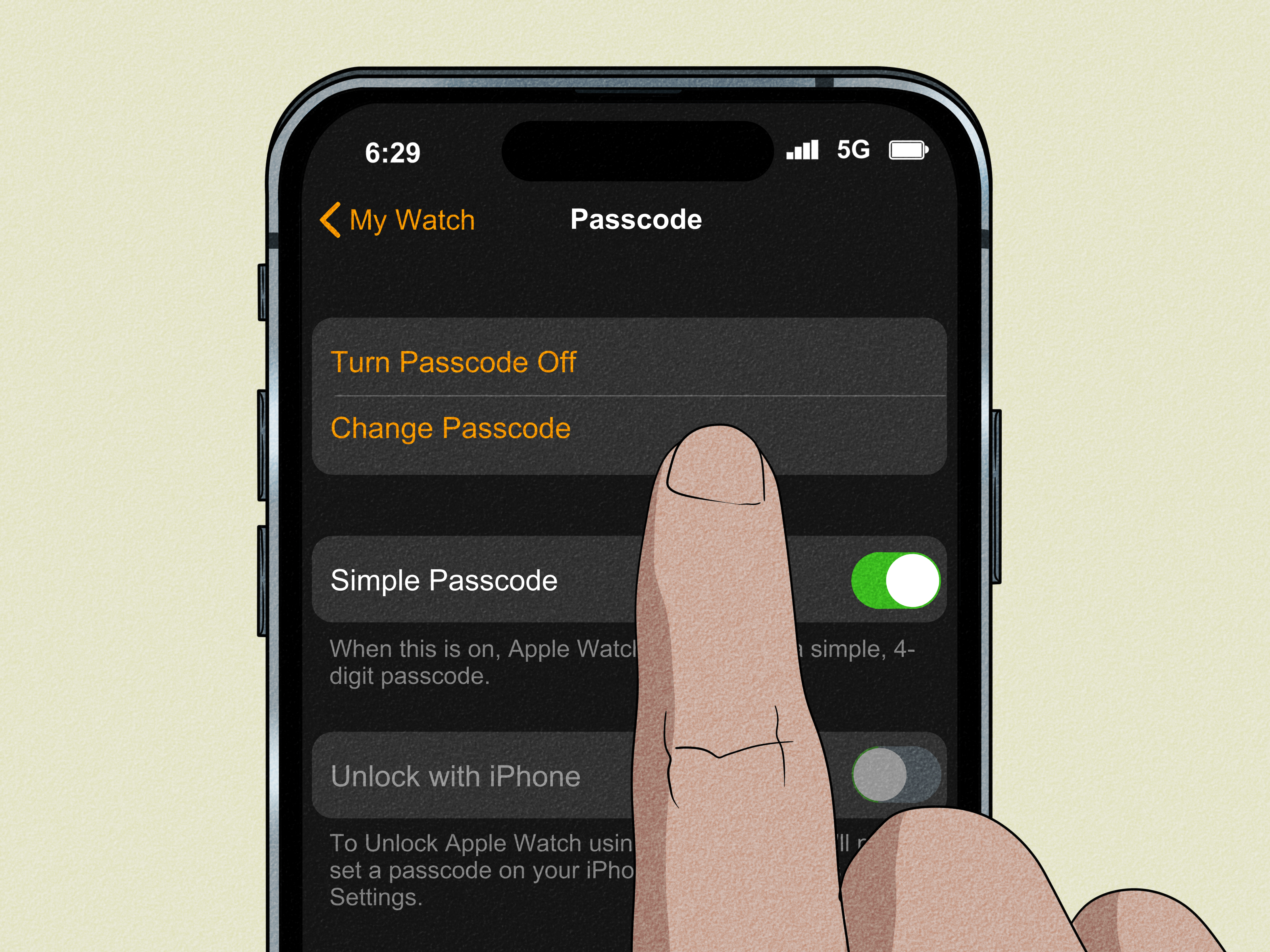
Forgetting an Apple Watch passcode is one of those tiny modern disasters that somehow feels bigger than it should. It is just a watch, right? Then suddenly it is a locked mini-computer attached to your wrist, silently judging you while you try every four-digit combination your brain has ever loved. The good news is that there are a few legitimate ways to regain access to an Apple Watch without typing the passcode or immediately wiping it. The less-fun news is that there is no magic “secret bypass” button hidden in watchOS.
That distinction matters. If your Apple Watch was already set up to work with your iPhone in certain ways, you may be able to unlock it without entering the passcode yourself. If those features were not enabled ahead of time, your options get much narrower. In other words, this article is about real, Apple-friendly solutions, not internet folklore that sounds like it was invented by a guy named Brad in a comment section.
Below, you will learn what actually works, what only works if you prepared in advance, and what to do when the watch seems completely stuck. You will also see why some websites make this topic sound easier than it really is. Let’s save your sanity, your data, and maybe your afternoon.
The Truth First: Can You Really Unlock an Apple Watch Without the Passcode?
Yes, but only in very specific situations.
If you forgot the Apple Watch passcode entirely, Apple’s official position is simple: there is no supported way to bypass it. However, if Unlock with iPhone was enabled before the lockout, or if your watch enters Apple’s recovery workflow, you may be able to get back in without manually entering the watch passcode. That is the key difference.
So the realistic goal is not “hack your way in.” The realistic goal is to use trusted, already-authorized Apple features to open the watch without typing the code on the watch itself.
Method 1: Unlock Apple Watch with Your iPhone If “Unlock with iPhone” Was Already Enabled
This is the best-case scenario and the cleanest fix by far.
Apple lets users turn on a feature called Unlock with iPhone. When it is enabled, unlocking your iPhone can also unlock your Apple Watch automatically. Think of it as your phone vouching for your watch like a very small digital lawyer.
How this method works
If the feature was switched on before you forgot the watch passcode, you may be able to unlock the watch simply by unlocking your paired iPhone. Typically, the iPhone needs to be nearby and connected over normal Bluetooth range. If Bluetooth is off, this method usually will not help.
What to do
- Keep your Apple Watch on your wrist.
- Make sure your paired iPhone is unlocked.
- Keep both devices close together.
- Wake the Apple Watch and wait a few seconds.
- If needed, lock and unlock your iPhone again.
If everything is configured correctly, the Apple Watch may unlock without requiring you to type the code on the watch itself.
When this method fails
This solution will not work if:
- Unlock with iPhone was never enabled
- The watch is no longer paired properly
- Bluetooth is off or the devices are too far apart
- The watch has been removed from your wrist and re-locked in a way that breaks the trusted session
Still, this is the first method to try because it is fast, safe, and does not erase anything.
Method 2: Use the Post-Restart Trusted Unlock Flow
This one is less talked about, but it can be surprisingly helpful. Apple’s security documentation explains that when the watch has already been set up with the right unlock feature, the paired iPhone can help unlock the Apple Watch directly after startup without requiring you to enter the passcode on the watch itself.
That means if your Apple Watch restarted and is asking to be unlocked again, your iPhone may still be able to re-establish trust and open the watch automatically, provided the feature had been enabled before and the devices are still properly paired.
Try this if your watch restarted
- Put the watch on your wrist.
- Bring the paired iPhone very close to the watch.
- Unlock the iPhone.
- Wait briefly for the connection to re-establish.
- Wake the watch screen again if nothing happens right away.
This method is not guaranteed in every lock state, but it is one of the few legitimate ways to unlock Apple Watch without typing the passcode or jumping straight to a reset.
Why this matters
Many articles online reduce the issue to “forgot the passcode, erase the watch.” That is often true, but not always immediately true. If a trusted unlock path already exists between your iPhone and watch, you may still have a brief, elegant escape hatch. Think of it as the VIP entrance to your own device.
Method 3: Use Apple Watch Recovery If You See the Watch-and-iPhone Animation
If your Apple Watch shows an animation telling you to bring your iPhone nearby, do not ignore it. That screen is not random drama from watchOS. It signals that the device is in a recoverable state and can be assisted by your paired iPhone.
How recovery works
Apple provides a recovery flow for some Apple Watch problems. If the watch shows the animation of a watch and iPhone being brought together, you can place the iPhone nearby, put the watch on its charger, double-click the side button on the watch, and follow the instructions that appear on the iPhone.
This process is not exactly the same as typing in a forgotten passcode. It is more like letting the trusted iPhone step in and help the watch sort itself out.
When to try this
- Your Apple Watch shows a recovery-style pairing animation
- The watch is responsive but stuck in a setup or recovery state
- Your iPhone still recognizes it as the paired device
Recovery is especially useful when the issue is not just “I forgot my code,” but “my watch is acting weird, stuck, or refusing to proceed.” It is one of the few non-destructive steps that can actually move you forward.
Method 4: Regain Account Access if the Real Problem Is Activation Lock, Not the Passcode
Sometimes users think the watch is “locked by passcode” when the bigger problem is actually Activation Lock. These are not the same thing.
A passcode lock stops local access to the watch. Activation Lock prevents anyone else from setting up or using the watch if it has been lost, erased, or disconnected from the owner’s account. If you bought a used Apple Watch, inherited one from family, or erased your own watch and got stuck during setup, Activation Lock may be the real roadblock.
What you can do
If the watch is yours, sign in with the correct Apple Account. If you forgot that password, recover the Apple Account first. If the watch belonged to someone else, the previous owner needs to remove it from their account. If that is impossible but you have valid proof of purchase, Apple may review a support request for Activation Lock assistance.
Why this helps
This does not “unlock” the watch face in the usual sense, but it does solve one of the most common reasons people feel locked out. A lot of frustration comes from mixing up passcode problems with ownership-verification problems. One is about memory. The other is about identity. Sadly, neither responds well to yelling.
What Will Not Work
Let’s save you from bad advice and suspicious websites.
1. There is no official passcode bypass trick
If a site claims you can unlock a passcode-locked Apple Watch through a hidden tap pattern, secret Siri phrase, or “special software” that does not erase anything, be skeptical. Very skeptical. The kind of skeptical that makes you slowly close seventeen browser tabs.
2. Changing your iPhone passcode does not change the watch passcode
Your iPhone and Apple Watch can work together, but they do not share the same lock code by default. Even when your iPhone can unlock the watch, that does not mean the watch has adopted the phone’s passcode as its own.
3. Unpairing usually means erasing
Some tutorials casually suggest unpairing as if it is a harmless little reboot. It is not. Unpairing the Apple Watch erases it and returns it to factory settings. If your goal is specifically “without resetting,” that is not the route you want unless every other option has failed.
If None of These Methods Work, Here’s the Hard Truth
If you truly forgot the Apple Watch passcode and none of the trusted methods above are available, a reset is usually unavoidable. Apple’s current support guidance says that a forgotten Apple Watch passcode requires erasing the watch, then setting it up again and restoring from backup if you have one.
That is not the answer most people want, but it is the honest one. Better an inconvenient truth than a fake miracle.
How to Avoid This Problem Next Time
Once you regain access, take a few minutes to future-proof your setup.
Turn on Unlock with iPhone
This is the single most useful convenience feature for this exact problem. It can save you from tiny wrist-based tragedy later.
Use a memorable but strong passcode
If your current strategy is “I’ll definitely remember this random number forever,” history suggests otherwise. Choose a code you can recall without making it laughably obvious.
Keep your Apple Account secure
If Activation Lock ever enters the picture, your Apple Account credentials become essential. Keep them updated, use two-factor authentication, and make sure your trusted phone number still belongs to you.
Back up your iPhone regularly
Apple Watch backups are tied to the paired iPhone, so a healthy iPhone backup routine makes Apple Watch recovery much less painful.
Specific Examples of Common Lockout Situations
You forgot the passcode, but your watch is still paired
Try unlocking the iPhone nearby and see whether the watch unlocks automatically. If Unlock with iPhone was enabled, you may be back in within seconds.
Your watch restarted after an update
Place it on your wrist, bring the paired iPhone close, and allow the trusted unlock relationship to re-establish. This sometimes works when users assume they are fully locked out.
You bought a used Apple Watch and cannot finish setup
You are likely dealing with Activation Lock, not a normal passcode issue. Contact the seller first. Without the original owner or proof of purchase, you may hit a dead end.
Your watch shows the recovery animation
That is your cue to use Apple’s recovery workflow with the paired iPhone. Do not skip it and jump straight to wiping the watch.
Real-World Experiences and Lessons from Apple Watch Lockouts
People usually discover Apple Watch lockout problems in wonderfully inconvenient places. At the gym, halfway through a trip, ten minutes before a meeting, or during that magical life moment when they are already late and absolutely should not be solving a wearable-security puzzle. In real-world use, the biggest surprise is not that the Apple Watch locks. It is that many owners assume the watch and iPhone behave like one device when it comes to passcodes. They do not. They are close friends, not identical twins.
One common experience is the “I changed something weeks ago and now I do not remember what” scenario. A user sets up the watch, creates a passcode they are sure is brilliant, and then relies on automatic unlock so often that they never type it again. Months later, the watch restarts after an update or battery drain, and suddenly the code is required. That is when people realize convenience can quietly erase memory. The lesson is simple: if you depend on automation, keep a secure record of the manual fallback.
Another frequent experience involves used Apple Watches. Someone buys a secondhand model, pairs it halfway, and then runs into a screen asking for the original Apple Account. At that point, frustration rises fast because it feels like the watch is broken or “locked for no reason.” In reality, the security system is doing exactly what it was designed to do: protect the original owner. The practical takeaway is to verify Activation Lock status before buying, not after handing over money in a parking lot with heroic optimism.
There is also the classic “my watch is nearby, my phone is nearby, why is nothing happening?” moment. This usually happens when users expect automatic unlock to work even though the feature was never enabled, Bluetooth is off, or the watch has shifted into a state that requires a more formal recovery step. The useful habit here is to check the boring stuff first. Device proximity, Bluetooth, wrist detection, battery level, and pairing status solve more confusion than most people expect.
Perhaps the most valuable lesson from these lockout stories is that Apple’s ecosystem rewards preparation. The users who have the smoothest recovery are usually the ones who already enabled Unlock with iPhone, kept their Apple Account current, and regularly backed up their iPhone. The ones who struggle most are often not careless; they just assumed they would never need the backup plan. Technology is funny like that. It works perfectly until the exact day you need it not to be dramatic.
So if this article helps you get back into your Apple Watch, take the extra five minutes afterward. Turn on the right settings. Confirm your account details. Make the future version of you slightly less stressed. That future version will be grateful, even if they are still the kind of person who forgets where they put their charger every other Tuesday.
Final Takeaway
If you want the honest answer to how to unlock an Apple Watch without a passcode or resetting, here it is: you can only do it through legitimate trusted-device features that were already in place, or through Apple’s recovery process when the watch specifically offers it. There is no safe, official shortcut that lets you bypass a forgotten passcode from scratch. So start with automatic unlock, try recovery if the watch invites it, sort out Activation Lock if ownership is the issue, and only consider erasing the watch when those routes are exhausted.
In short, the best non-reset solution is preparation done before the emergency. Very glamorous, I know. But also very effective.