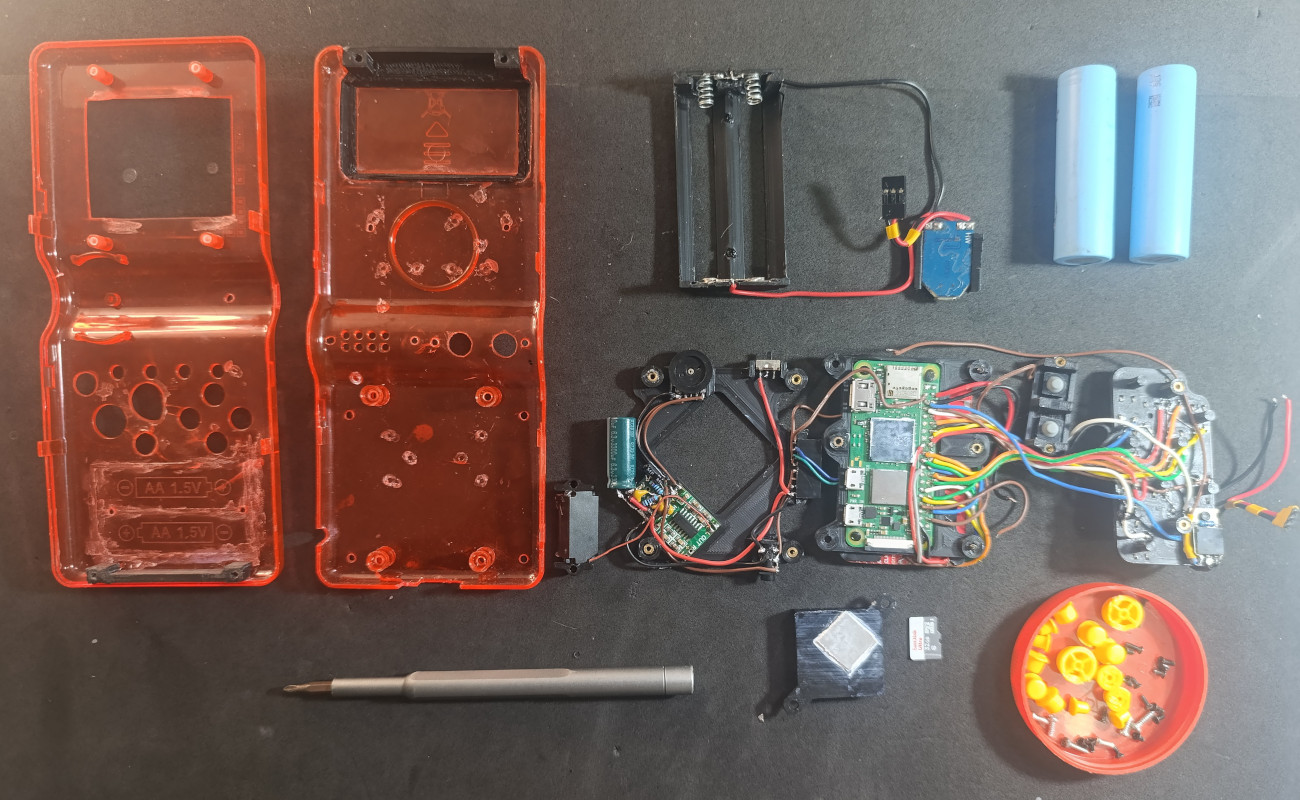
Every so often, a small plastic gadget arrives in the mail looking like it was designed by committee, translated by machine, and boxed by someone who had twelve seconds before lunch. It has a mysterious brand name, a screen that is either surprisingly nice or suspiciously blue, buttons with the confidence of a bargain calculator, and a menu full of games labeled in ways that make you wonder whether “Street Fighter” got lost in customs.
And yet, beneath that humble shell, a no-name handheld game device can be far more interesting than it first appears. These budget retro handhelds have become a small obsession for tinkerers, casual gamers, repair hobbyists, and anyone who believes that a cheap gadget should not be judged until it has been charged, cleaned, configured, and politely threatened with a firmware update.
Unlocking the potential of a no-name handheld game is not about pretending it is a Steam Deck, a Nintendo Switch, or a premium Android gaming device. It is about understanding what it can do, what it cannot do, and how smart setup choices can turn a forgettable impulse buy into a surprisingly enjoyable pocket console.
What Is a No-Name Handheld Game Device?
A no-name handheld game is usually a low-cost portable gaming console sold under a little-known brand, a white-label name, or sometimes no real brand at all. Many are marketed as “retro game consoles,” “portable handheld game players,” or “classic game machines.” The listings often promise thousands of games, long battery life, TV output, multiple emulators, and enough nostalgia to make a grown adult suddenly remember snack cakes from 1998.
These devices vary wildly. Some are simple plug-and-play toys with fixed game lists and limited performance. Others are compact Linux-based or Android-based retro handhelds that can run emulators, custom frontends, and community firmware. A few are shockingly capable for the price, especially when they use familiar chips, microSD storage, and open-source emulation software.
The magic is in the gap between “cheap gadget” and “usable handheld console.” That gap is where setup, software, file organization, legal game ownership, and hardware care make all the difference.
Why Budget Handhelds Became So Popular
Retro handheld gaming has exploded because it solves a very modern problem: people want fun without waiting through updates, battle passes, login screens, and a menu that needs its own college degree. A small handheld that boots directly into classic-style games feels refreshingly simple.
There is also a strong value argument. Premium handheld gaming PCs are powerful, but they can be expensive, heavy, and unnecessary for someone who mostly wants 8-bit, 16-bit, arcade, Game Boy-style, or PlayStation-era gaming. Budget handhelds often focus on exactly that sweet spot: lightweight gaming, quick sessions, and a library that feels personal rather than endless.
Another reason is the community. Retro gaming forums, YouTube guides, GitHub projects, and handheld review sites have made it easier for everyday users to improve these devices. Instead of being stuck with a confusing stock interface, users can often install cleaner firmware, improve emulator settings, organize games neatly, and get a more console-like experience.
The First Rule: Manage Expectations
The fastest way to hate a no-name handheld is to expect it to perform like a premium console. The fastest way to enjoy it is to treat it like a tiny project with a gaming reward at the end.
A low-cost handheld may be excellent for classic arcade games, puzzle titles, platformers, RPGs, and handheld-era games. It may struggle with 3D systems, demanding emulators, poor-quality ROM files, high-resolution filters, or anything that expects more CPU and GPU power than the device can provide. Some models handle original PlayStation games nicely, while others start sweating when a menu fades in.
Before changing anything, identify the device’s basic hardware. Look for the processor, RAM, operating system, screen resolution, battery size, and storage format. A handheld based on a common chipset, such as certain Rockchip or Allwinner platforms, may have better community support than a completely obscure device with locked-down software.
Start With the MicroSD Card
Many budget handhelds ship with generic microSD cards. This is often the weakest link. The device itself might be acceptable, but the included card can be slow, unreliable, poorly organized, or filled with questionable files. Replacing it with a reputable microSD card is one of the easiest upgrades.
Before replacing anything, back up the original card. Even if the stock software is ugly, it may contain boot files, emulator folders, configuration files, and device-specific settings. Think of it as taking a photo of your room before cleaning it: you may not admire the mess, but you might need to know where the charger was.
After backing up, use a quality card from a trusted brand. Create a clean folder structure for games, BIOS files when legally required, save files, screenshots, and themes. This single step can improve reliability and make future troubleshooting much easier.
Understand the Legal Side of Games
Many no-name handhelds advertise huge built-in game collections. That may sound convenient, but it can also be legally messy. Emulators themselves are generally legitimate software tools, but unauthorized distribution of copyrighted games, BIOS files, or firmware is a different issue.
The safest approach is simple: use games you legally own, public-domain titles, homebrew games, freeware releases, or official collections that allow personal use. Retro gaming has a thriving homebrew scene, and many developers create new games for old-style systems. That means a no-name handheld does not need to rely on shady preloaded libraries to be fun.
Cleaning up a device’s game library can also make it better. Instead of scrolling through 9,000 mystery files, build a curated collection of games you actually want to play. A handheld with 80 well-organized favorites is usually more enjoyable than one with 12,000 duplicates, broken translations, and something called “Mario Adventure Fighter 7 Final Real.”
Custom Firmware Can Change Everything
Custom firmware is often the biggest upgrade for supported retro handhelds. Depending on the model, community firmware can improve menus, emulator performance, save-state behavior, sleep mode, button shortcuts, scraping, box art, themes, and file navigation. It can make a device feel less like a factory sample and more like a polished portable console.
Popular open-source and community-driven tools in the retro gaming world include RetroArch, EmulationStation-style frontends, Batocera, MinUI, and other device-specific firmware projects. Not every no-name handheld supports these options, but many budget devices are built on familiar hardware platforms that communities have already studied.
What Custom Firmware Usually Improves
A better operating system or launcher can reduce friction. It may boot faster, present games by system, show box art, simplify settings, and create a consistent button layout across emulators. Some firmware focuses on maximum customization, while others focus on minimalism. The best choice depends on the user.
If the handheld is for a child, a parent, or someone who just wants to play, a simple launcher may be best. If it is for a hobbyist who loves shaders, hotkeys, overlays, and per-core settings, a more advanced setup may be more rewarding. The secret is to choose software that matches the player, not the loudest comment thread.
Improve the User Interface
The stock interface on a no-name handheld can be the digital equivalent of a drawer full of cables. Everything may technically be there, but finding anything is an emotional journey. A good interface turns the device into something you want to pick up.
Start by organizing games by platform. Use clear folder names like “GB,” “GBA,” “NES,” “SNES,” “Genesis,” “Arcade,” and “PS1.” Rename confusing file names when appropriate. Remove duplicates. Keep regional versions consistent. Add box art only if the device handles it smoothly; on weaker hardware, fancy artwork can sometimes slow down browsing.
Next, configure hotkeys. A good handheld setup should make it easy to save, load, exit, adjust volume, and return to the main menu without guessing. The best hotkey layout is the one you remember when you are tired, on a bus, and losing badly to a boss that was clearly designed by someone with no respect for thumbs.
Performance Tuning: Small Tweaks, Big Difference
Performance tuning is where a no-name handheld often surprises people. Small settings can change how games feel. Frame skip, scaling, emulator core selection, audio latency, threaded video, and display filters all affect performance.
For older 2D systems, prioritize smooth frame pacing and low input lag over flashy visual effects. Integer scaling can make pixel art look cleaner, while heavy shaders may burden the hardware. For PlayStation-style games, choosing the right emulator core and resolution setting can mean the difference between playable and “why is the character walking like a sleepy shopping cart?”
Battery life also depends on performance settings. Higher brightness, Wi-Fi, Bluetooth, vibration, and demanding emulation can drain the battery faster. If your goal is travel gaming, create a battery-friendly profile with modest brightness, no unnecessary wireless features, and systems the device handles comfortably.
Controls Matter More Than Specs
Spec sheets are useful, but buttons are where gaming becomes real. A handheld can have a decent chip and still feel unpleasant if the D-pad is mushy, the buttons scrape, or the shoulder triggers sound like tiny plastic doors being slammed by a squirrel.
Test controls with different genres. Platformers reveal D-pad accuracy. Fighting games reveal diagonal inputs. Racing games test shoulder buttons. Puzzle games test comfort during long sessions. If the controls are acceptable, the device has potential. If they are terrible, no firmware wizardry can fully rescue it.
Some handhelds can be improved with careful cleaning, replacement membranes, better button pads, or light internal adjustment. However, hardware modifications should be done cautiously. Tiny ribbon cables and budget plastic clips are not known for their emotional resilience.
Repairability and Longevity
A major advantage of many simple handhelds is that they are less intimidating to maintain than premium portable PCs. Common issues include weak batteries, drifting analog sticks, loose buttons, dusty screens, damaged charging ports, and corrupted microSD cards.
Before opening a device, check whether repair guides, teardown videos, or community posts exist for that model or a visually identical clone. White-label handhelds often share internal layouts even when the brand name changes. If replacement parts are available, a cheap device becomes more than disposable; it becomes a small repair project.
Good maintenance is basic but powerful. Keep the device in a case, avoid extreme heat, charge it with a reliable cable, do not yank the microSD card while files are writing, and back up saves regularly. Save files are tiny, but losing a 30-hour RPG save can make a person stare silently into the middle distance like a retired sea captain.
Turning a Mystery Handheld Into a Daily Carry
The best no-name handhelds earn their place by being convenient. They are small enough to toss into a bag, cheap enough that you are not terrified to use them, and simple enough for short gaming sessions. To make one daily-carry friendly, focus on quick access.
Create a favorites list with ten to twenty games. Configure sleep mode if supported. Set default save-state behavior. Keep the home screen clean. Use a wrist strap or pouch. Choose games that work well in short bursts: puzzle games, arcade shooters, platformers, racing games, pinball, sports titles, and turn-based RPGs.
A no-name handheld should not feel like a library you must manage every time you turn it on. It should feel like a tiny arcade in your pocket, minus the sticky floor and the one machine that ate everyone’s quarters.
Best Use Cases for a No-Name Handheld
Travel Gaming
Budget handhelds are excellent for flights, buses, waiting rooms, and hotel downtime. They are light, portable, and usually less distracting than a phone full of notifications. A curated retro library can make travel feel shorter without draining your main device’s battery.
Kids and Family Gaming
A simple handheld can introduce younger players to classic-style games without giving them access to online stores, chats, or complicated accounts. Choose age-appropriate games, remove confusing duplicates, and use a simple interface. The goal is fun, not a tiny spreadsheet with buttons.
Retro Discovery
For adults, these devices are a great way to revisit older genres. Many classic games were designed around immediate play, readable mechanics, and high replay value. A pocket handheld makes it easier to appreciate why simple games can still be brilliant.
Learning and Tinkering
A no-name handheld is also a low-risk learning platform. Users can learn about file systems, firmware flashing, emulation settings, controller mapping, storage formats, and basic troubleshooting. It is a gateway gadget for understanding how hardware and software work together.
Common Mistakes to Avoid
The first mistake is changing everything before testing the device. Use it stock for a little while. Check the screen, buttons, charging, speaker, headphone jack, microSD slot, and battery behavior. If something is defective, you want to know before investing hours in setup.
The second mistake is keeping every preloaded game. More is not always better. Massive libraries slow navigation, hide good games, and create decision fatigue. Curate the library like a playlist, not a warehouse.
The third mistake is installing firmware without confirming compatibility. Similar-looking handhelds can have different boards, screens, Wi-Fi chips, or boot requirements. Using the wrong image can cause serious problems. Read model-specific instructions carefully and keep backups.
The fourth mistake is obsessing over systems the device cannot run well. If a handheld is great for 2D classics, let it be great at that. Forcing demanding 3D emulation onto weak hardware is like asking a toaster to edit 4K video. Admirable ambition, terrible breakfast.
The Joy of Making It Yours
The real appeal of unlocking a no-name handheld game device is ownership. Not just legal ownership of games, but personal ownership of the experience. You decide what belongs on the device, how it looks, how it launches, what shortcuts matter, and which games deserve a permanent spot in your pocket.
This is different from modern gaming ecosystems that guide every click. A budget handheld is rougher, but it is also more flexible. You can make it a dedicated puzzle machine, a Game Boy-style RPG companion, a vertical arcade device, a travel console, or a nostalgic gift for someone who has no interest in configuration menus but loves old-school fun.
There is satisfaction in turning something generic into something personal. The shell may still say “Super Game Player X9 Plus,” but once the menus are clean, the saves are safe, and the favorites list is perfect, it becomes your little console.
My Experience: What a No-Name Handheld Teaches You
The first time you set up a no-name handheld, you may feel both clever and mildly betrayed. The box promises instant fun, but the first boot often reveals a chaotic menu, strange translations, and a game list that appears to have been organized by a raccoon with a USB cable. Still, that rough beginning is part of the charm.
The biggest lesson is patience. Instead of judging the device in five minutes, spend time learning its personality. Does the screen look better at lower brightness? Are the buttons stiff at first but comfortable after a few sessions? Does one emulator perform better than another? Does the battery meter drop suddenly, or is it just badly calibrated? These little discoveries help you separate real flaws from fixable annoyances.
Another lesson is that curation beats quantity. A giant game list sounds exciting until you spend more time scrolling than playing. The experience becomes dramatically better when you choose a focused library. For example, create one folder for quick arcade sessions, one for longer RPGs, one for puzzle games, and one for personal favorites. Suddenly the device feels intentional. You stop browsing forever and start playing.
Customizing the interface can also change your relationship with the handheld. A clean theme, readable fonts, sensible system icons, and reliable hotkeys make the device feel more expensive than it is. Even a basic frontend can feel premium when it is organized well. The goal is not to impress someone reading a spec sheet; the goal is to make the device disappear in your hands while the game takes over.
There is also a repair mindset that comes with these gadgets. You become more aware of how small design choices affect comfort and durability. A wobbly D-pad, a loose microSD slot, or a cheap speaker teaches you what matters in hardware. You learn to appreciate modular parts, accessible screws, replaceable batteries, and community documentation. A no-name handheld may be inexpensive, but it can make you more thoughtful about every future device you buy.
The most rewarding moment comes when the handheld finally feels finished. It boots cleanly. The game list is tidy. Save states work. The controls are mapped. The battery lasts long enough for your routine. You pick it up for a five-minute break and accidentally spend thirty minutes chasing a high score. That is when the bargain gadget stops being a novelty and becomes a real companion.
In a world where technology often arrives sealed, locked, and polished into sameness, a no-name handheld feels refreshingly hands-on. It asks for a little effort and gives back a sense of discovery. It reminds us that gaming does not always need perfect branding, cutting-edge specs, or cinematic trailers. Sometimes all it needs is a decent screen, responsive buttons, a clean library, and one game that makes you say, “Okay, just one more run.”
Conclusion
Unlocking the potential of a no-name handheld game device is part setup guide, part treasure hunt, and part personality test. If you want perfection out of the box, buy a premium handheld. If you enjoy discovering value, solving small problems, and building a portable game library that actually fits your taste, a budget retro handheld can be surprisingly rewarding.
The key is to approach it wisely. Back up the original microSD card, use reliable storage, understand legal game ownership, explore compatible firmware, tune performance, organize the interface, and protect your saves. Do that, and the little mystery console may become more than a cheap toy. It may become the device you grab when you want gaming to feel simple again.
A no-name handheld will never have the prestige of a famous console, but that is part of its appeal. It is humble, hackable, imperfect, and fun. And sometimes, that is exactly what a good gaming gadget should be.
Note: This article is written in clean HTML body format for web publishing, with unnecessary source-link markers and content reference tags intentionally removed.