Losing a phone can feel like losing a tiny digital apartment. Your photos live there. Your messages live there. Your maps, notes, passwords, shopping carts, half-finished texts, and probably one embarrassing screenshot live there too. So when a phone goes missing, people usually do not whisper, “Oh well.” They panic first and breathe second.
The good news is that tracking a cell phone does not have to mean spy-movie nonsense. In the real world, the smartest ways to track a phone are usually the boring, legal, practical ones: built-in phone tools, location-sharing features, family safety apps, and carrier-based services. No trench coat required. No dramatic soundtrack necessary.
This guide breaks down four legitimate ways to track a cell phone, when each option works best, what its limits are, and how to use these tools responsibly. The focus here is simple: finding your own phone, managing a family device, or checking a location that was intentionally shared with you. That is a lot more useful than mystery, and a lot less creepy.
Why People Track a Cell Phone in the First Place
Most people are not trying to become detectives. They just want to solve a real-life problem fast. Maybe the phone slipped between couch cushions and is currently enjoying a vacation in the living room. Maybe it was left in a rideshare, in a classroom, at the gym, or on a restaurant table next to a half-eaten plate of fries. Maybe a parent wants to make sure a child got home safely. Maybe an adult family member is sharing a live location while traveling alone at night.
In other words, phone tracking is usually about recovery, safety, coordination, and peace of mind. The key is using the right method for the right situation. A built-in tool may be perfect for a lost iPhone. A family-sharing app may be better for routine coordination. A carrier service may help families who want location alerts tied to their mobile plans.
Before diving into the four methods, remember one important rule: the best tracking setup is the one you enable before disaster strikes. Trying to turn on device recovery after the phone has already vanished is like buying an umbrella after the thunderstorm moved into your kitchen.
1. Use Built-In Phone Finder Tools
The first and best way to track a missing phone is to use the recovery tool built into the device’s ecosystem. These tools are usually free, easy to access, and more reliable than random third-party apps. If you own the phone, this should be your first move every time.
For iPhone Users: Apple Find My
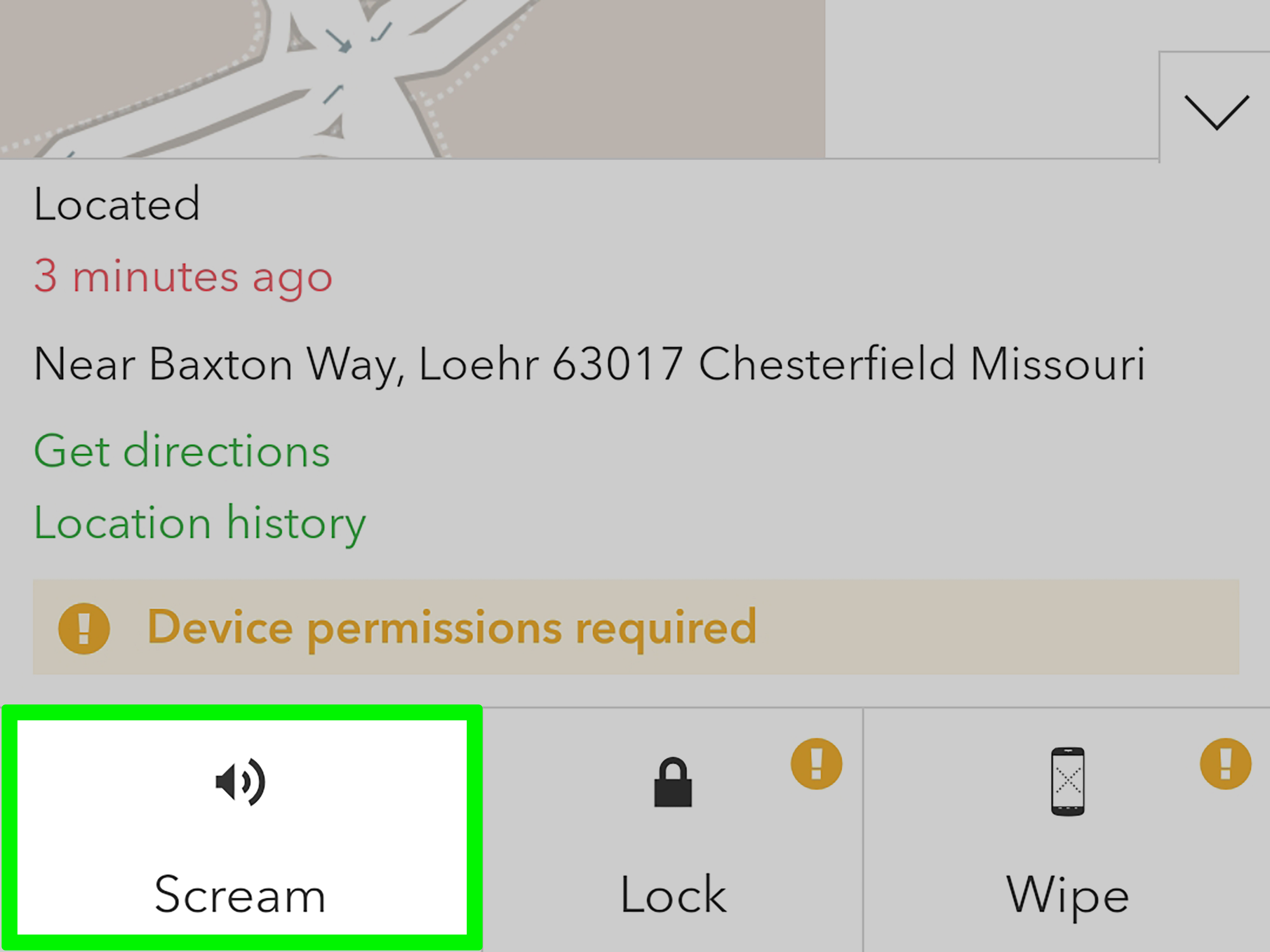
Apple’s Find My feature is the gold standard for locating an iPhone you own. When it is enabled in advance, you can sign in from another Apple device or a browser and check the phone’s location on a map. You can also play a sound, mark the device as lost, leave contact information for whoever finds it, and in more serious situations, remotely erase it.
This method works especially well when the phone is merely misplaced. Maybe it is under the bed, in yesterday’s jacket, or hiding in your car like it pays rent there. Playing a sound can save you from turning the house upside down. If the phone was actually lost in public, Lost Mode adds a layer of protection by locking the device and helping a good Samaritan return it.
One of the biggest strengths of Apple’s system is that it feels seamless when you already live in the Apple ecosystem. If your family uses Family Sharing and location-sharing settings, a family member can sometimes help locate the device too. That turns one missing phone into a team sport, minus the orange slices.
For Android Users: Find My Device and Similar Tools
Android users have a similarly strong option through Google’s phone-finding tools. If location services and the proper settings are turned on ahead of time, you can sign in with the Google account connected to the phone and view its approximate location, ring it, secure it, or erase it remotely.
Many Android brands also layer in their own tools. Samsung users, for example, can use Samsung’s device-finding features for Galaxy phones and tablets. That can be helpful for people who use Samsung services regularly and want another route to locating a missing device.
The biggest takeaway here is simple: built-in tools are your fastest, cleanest, and most direct tracking option. They are designed for lost-phone recovery, not surveillance. That distinction matters.
Best Use Case for This Method
Use built-in recovery tools when:
- Your own phone is missing
- You think the phone was lost, stolen, or misplaced
- You want to lock, ring, or erase the device remotely
- You prepared in advance by enabling the feature
2. Turn On Consent-Based Location Sharing
The second way to track a cell phone is not really about “finding” a lost device. It is about intentionally sharing location between people who agree to it. That makes it useful for couples meeting up downtown, parents coordinating school pickup, friends navigating a festival, or relatives checking in during travel.
Apple Location Sharing
On Apple devices, users can share location through Find My and Family Sharing features. This makes it possible to see where someone is in real time if they chose to share that information with you. It can be continuous or adjusted depending on the relationship and the settings.
This is excellent for ordinary life. Suppose your family is trying to coordinate around soccer practice, grocery runs, and someone who swears they are “five minutes away” while still clearly at home. Shared location turns vague timing into actual timing. Miracles do happen.
Google Maps Location Sharing
Google Maps offers a popular version of this on Android and iPhone. Users can choose specific people to share their live location with and may be able to decide how long the sharing lasts. That makes it flexible. You can share for one evening, one trip, or longer if both people are comfortable with that setup.
This is one of the most practical methods for everyday coordination because many people already use Google Maps. There is no steep learning curve. The app is familiar, and the location-sharing option can be genuinely helpful when somebody is stuck in traffic, traveling alone, or trying to meet in a crowded place.
When Shared Location Makes Sense
Consent-based location sharing works best when:
- Everyone involved knows location sharing is active
- You need temporary coordination for a trip, event, or meetup
- A parent is managing a child’s device in a family setup
- You want safety check-ins instead of constant manual texting
The phrase to remember is “shared,” not “secret.” If the other person did not choose to share, this is not the right path.
3. Use Family Safety and Location Apps
The third method is to use dedicated family safety apps. These apps are popular because they combine tracking with other features such as arrival alerts, check-ins, driving notifications, or saved places like home, school, and work.
Popular Examples
Apps and services in this category include Life360 and Microsoft Family Safety, along with family tools tied to specific ecosystems. These apps are designed more for ongoing coordination than one-time device recovery. Think of them as the “family logistics department” living inside a phone.
A parent might use one of these tools to see whether a child arrived at school. An adult child may use one to keep an eye on an aging parent’s general travel pattern with clear permission. Siblings on a road trip might share locations so no one ends up at the wrong gas station in the middle of nowhere arguing with a vending machine.
What Makes These Apps Different
Dedicated family tracking apps often include features beyond a simple map pin:
- Location history
- Arrival and departure alerts
- Saved places like home, school, or work
- Check-in features
- Extra parental controls in some cases
That makes them useful for families who want more structure than standard map sharing provides. They are not necessary for everyone, but they can be valuable when routine matters more than emergency recovery.
The Catch
Here is the part where reality enters the room carrying a clipboard. These apps are only as good as the phone settings behind them. Battery-saving modes, disabled location permissions, weak signal, or background app restrictions can reduce accuracy. If the phone is off, out of battery, or disconnected, the app cannot perform miracles.
So yes, the app may say someone is “not available” right when you need answers. That does not always mean something is wrong. Sometimes it simply means technology is being technology.
4. Check Carrier and Family Plan Tracking Services
The fourth way to track a cell phone is through a mobile carrier’s family or safety service. Major carriers have offered tools that help account holders locate family devices, manage alerts, and organize household phone use.
Examples From Major Carriers
Carrier-based options such as Verizon Family, AT&T Secure Family, and T-Mobile family location tools are designed for households that want tracking features integrated into their wireless service. These services often include maps, saved places, alerts, and family dashboards.
For some families, this is convenient because it keeps everything under one roof. Billing, plan management, and location features can all sit in the same general ecosystem. That is appealing for busy households that would rather not juggle five separate apps and three forgotten passwords.
Who Should Consider Carrier Tracking?
Carrier services can be a good fit when:
- Your family already uses one carrier for several lines
- You want account-level management tools
- You prefer a carrier-supported interface for family safety features
- You want alerts tied to household routines
Just remember that carrier tracking still depends on phone settings, connectivity, permissions, and plan availability. It is helpful, not magical. If the phone has no battery, the carrier cannot summon its spirit.
Important Limits of Cell Phone Tracking
A lot of people expect phone tracking to work like a movie map with glowing dots and perfect timing. Real life is messier. Tracking is often approximate, not flawless. Accuracy depends on GPS, Wi-Fi, signal strength, phone settings, operating system permissions, and whether the device is powered on.
Even the best tracking feature may show an older location, lag behind, or fail to update in the exact moment you want it to. That does not automatically mean the service is broken. Sometimes the phone is in a dead zone. Sometimes it is indoors. Sometimes the battery is nearly gone and the phone is conserving power. Sometimes the universe is just being dramatic.
This is why it helps to think in layers. Use tracking, yes. But also call the phone, send a text with return information, check recent locations, and secure your accounts if theft is possible. Tracking is a strong tool, but it works best as part of a broader response.
Privacy, Safety, and Common Sense
Now for the non-glamorous but very important part: privacy. Location data is sensitive. It can reveal routines, workplaces, schools, habits, and other personal details. That means the most ethical and practical phone tracking is always transparent.
Track your own phone. Track a family device you manage. Use location sharing when the other person clearly agreed to it. Beyond that, you are entering territory that is not just awkward, but potentially harmful and unlawful.
It is also smart to review app permissions regularly. Some apps ask for location access when they do not actually need it. If a flashlight app wants to know where you eat lunch, that is not innovation. That is a red flag wearing sneakers.
How to Choose the Best Method
So which of these four ways to track a cell phone is best? It depends on your situation.
- Use built-in phone finder tools when your own device is lost or stolen.
- Use consent-based location sharing for everyday coordination between willing participants.
- Use family safety apps when you want alerts, check-ins, and ongoing household visibility.
- Use carrier tools when your family wants tracking built into its mobile plan setup.
In many cases, the smartest answer is not one method, but a combination. A family might use built-in phone finders for emergencies, Google Maps or Apple location sharing for meetups, and a family safety app for regular alerts. Layering tools creates better coverage without overcomplicating the whole system.
Final Thoughts
Tracking a cell phone does not have to be complicated, invasive, or weird. The safest and most effective methods are the ones hiding in plain sight: the official tools from Apple and Google, transparent location sharing, trusted family safety apps, and carrier-supported family features.
The real secret is preparation. Turn on recovery features before your phone disappears. Set up location sharing only with consent. Review permissions. Know your options ahead of time. That way, if your phone ever vanishes into the mysterious black hole between the couch cushions and human dignity, you will be ready.
And if all else fails, try calling it from another phone first. There is always a decent chance the “tracking system” you needed was simply your ears.
Real-World Experiences With Tracking a Cell Phone
In everyday life, people usually discover the value of phone tracking at the exact moment they wish they had set it up sooner. One common experience happens at home. Someone tears through the kitchen, the couch, the laundry pile, the car, and somehow even the refrigerator, convinced the phone has entered another dimension. Then they open a device finder, hit “Play Sound,” and hear a muffled ringtone coming from inside a backpack they already checked twice. This is a humbling moment, but also a very educational one.
Another common scenario happens in public. A person leaves a phone at a coffee shop, realizes it ten minutes later, and checks the device’s last known location from a laptop. Seeing the phone still pinned to the same block can turn panic into a plan. Instead of running around town like a confused action hero, they can call the store, talk to staff, activate Lost Mode, and head straight back. The tracking feature does not just help recover the phone. It reduces chaos.
Families often describe a different experience. They are less interested in drama and more interested in logistics. A parent wants to know whether a teen got to practice. A spouse wants confirmation that someone made it home during bad weather. An adult child helps an older parent who sometimes forgets where they parked. In these cases, the best tracking tools are not about control. They are about convenience, reassurance, and fewer “Where are you?” texts bouncing around all day long.
Travelers also learn quickly how useful location sharing can be. Two friends in a busy city can avoid endless landmark confusion by sharing live location for an afternoon. One person does not have to say, “I’m by the big sign,” while the other asks, “Which big sign?” in a place containing twenty-seven big signs. A shared map can save time, reduce stress, and keep the group together without turning the day into a scavenger hunt.
Of course, people also run into the limitations. Sometimes a tracking app is less accurate indoors. Sometimes the battery dies right when a phone goes missing. Sometimes a family member disables location accidentally, and everyone assumes the map is wrong, the app is broken, or civilization is collapsing. In reality, phone tracking works best when expectations stay realistic. It is a tool, not a crystal ball.
The strongest lesson from real experience is simple: the best time to set up phone tracking is before you need it. People who enable Find My, review privacy settings, and choose one clear family-sharing method usually have a much easier time when something goes wrong. The people who postpone setup until after the phone disappears tend to learn the hard way that preparation beats panic every single time.