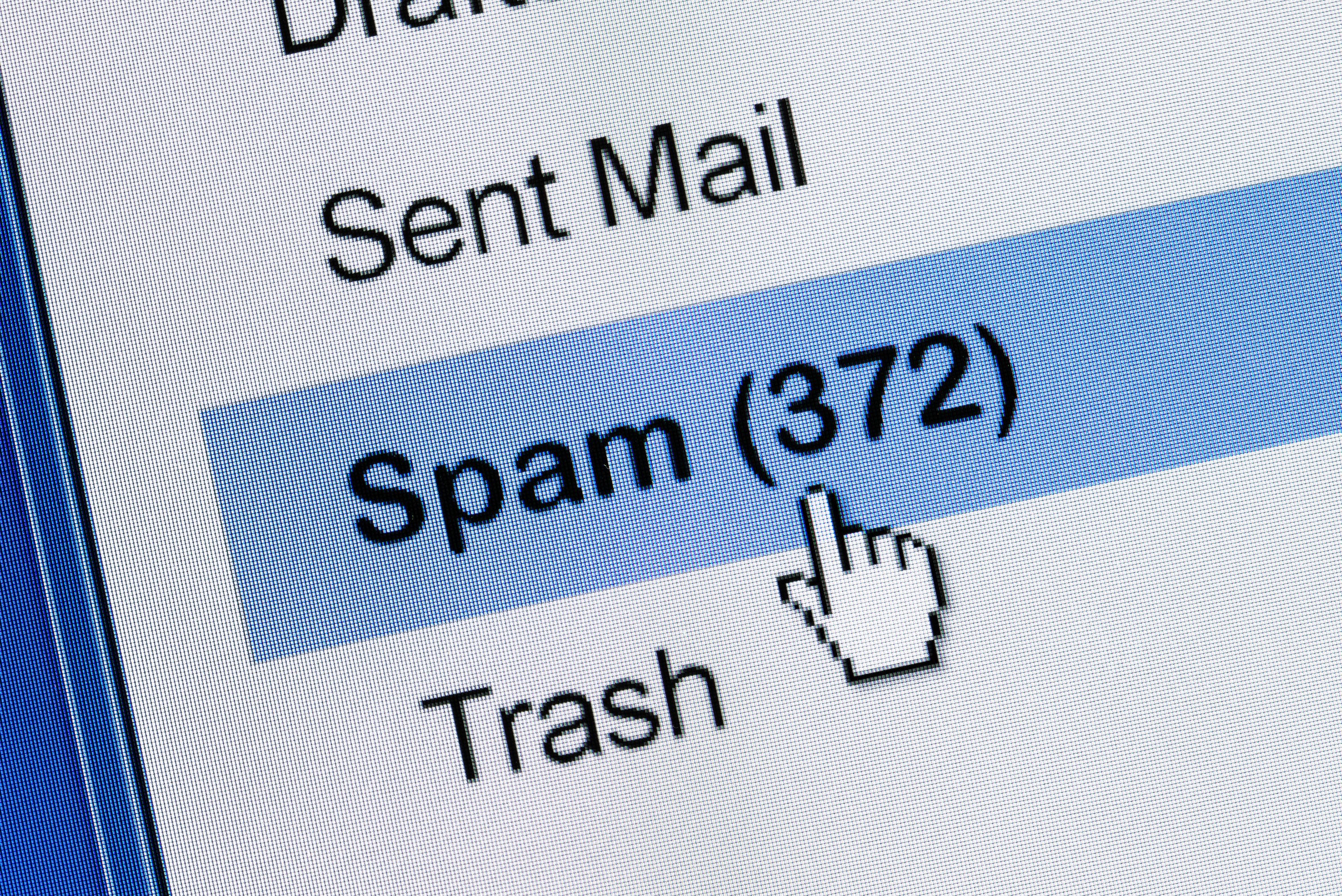
Spam email, unwanted text messages, and robocalls are the digital equivalent of someone ringing your doorbell every six minutes to ask if you want “urgent warranty protection” for a toaster you never owned. Annoying? Absolutely. Harmless? Not always. Many of these messages are designed to steal money, passwords, identity information, or the last remaining ounce of patience you had before lunch.
The good news is that you do not have to surrender your inbox, phone, or sanity. You probably cannot eliminate every spam email, scam text, and robocall forever, because scammers are persistent little goblins with Wi-Fi. But you can dramatically reduce the noise, protect your personal information, and make yourself a much less attractive target.
This guide explains seven practical ways to stop spam email, unwanted messages, and robocalls using tools already available on most phones, email accounts, and wireless plans. It also covers what not to do, because sometimes the most powerful move is simply not clicking the shiny suspicious button.
1. Strengthen Your Email Spam Filters
Your email provider already does a lot of invisible cleanup before messages reach your inbox. Gmail, Outlook, Yahoo Mail, and other providers use automated systems to detect suspicious senders, phishing attempts, malware links, and bulk promotional messages. But spam filters are not magic. They learn from user behavior, which means your clicks matter.
When a spam email sneaks through, do not just delete it and move on. Use the built-in Report spam, Report phishing, or Junk button. This helps your email provider recognize similar messages in the future. In Gmail, reporting spam teaches Google to route similar emails away from your inbox. In Outlook, reporting phishing or junk helps Microsoft improve detection and can also block future messages from the same sender.
Use blocking for repeat offenders
If a specific sender keeps bothering you, block the address or domain. Blocking is especially useful for aggressive newsletters, fake invoice scams, and shady “limited-time offer” emails that somehow have a limited time every day forever. In Gmail, blocked senders are sent to spam. In Outlook, you can add addresses or domains to a blocked sender list.
Be careful with unsubscribe links
Unsubscribing is fine when the email comes from a legitimate business you recognize. For example, if you bought socks from a real store and now receive daily emails about sock destiny, use the official unsubscribe option. But if the email looks suspicious, do not click the unsubscribe link inside the message. Scammers may use fake unsubscribe buttons to confirm your email address is active or to push you onto a phishing page.
A safer approach is to use your email provider’s built-in unsubscribe feature when available, report the message as spam, or go directly to the company’s official website instead of clicking links in the email.
2. Create Separate Email Addresses for Shopping, Banking, and Personal Use
One of the easiest ways to reduce spam email is to stop using one email address for everything. Your main email should be treated like your house key, not like a coupon you hand to every website that promises 10% off.
Create separate email addresses for different purposes. Use one address for personal communication, one for banking and important accounts, and one for shopping, newsletters, coupons, sweepstakes, and random online registrations. This way, if your shopping email gets buried under promotional sludge, your financial and personal inboxes stay cleaner.
Use email aliases when possible
Some email services let you create aliases or variations of your email address. For example, many Gmail users can use plus addressing, such as [email protected] or [email protected]. Messages still arrive in your inbox, but you can create filters based on the alias. If one alias starts receiving spam, you may know which website or signup source leaked, sold, or mishandled your information.
Do not publish your main email publicly
Spam bots scrape websites, forums, social media pages, online resumes, and comment sections looking for exposed email addresses. If you run a website or public profile, consider using a contact form instead of displaying your address in plain text. If you must publish an email, use a dedicated public-facing address that can be filtered aggressively.
3. Register With the National Do Not Call Registry
The National Do Not Call Registry is a useful first step for reducing unwanted sales calls from legitimate telemarketers. It is free, and you can register both landline and mobile numbers. Once your number is registered, many real companies are supposed to stop calling for sales purposes.
However, the Do Not Call Registry is not a force field. It does not block calls by itself, and it will not stop scammers who already ignore the law. Think of it like a “No Soliciting” sign: honest businesses may respect it, but the guy selling fake driveway repair at midnight probably will not.
Why registration still helps
Even though it will not stop every robocall, registering can reduce legitimate telemarketing calls. That makes the remaining suspicious calls easier to spot. If you still receive sales calls after your number has been on the list for a while, you can report violations to the FTC.
Do not assume caller ID is honest
Scammers often use caller ID spoofing, which means the number on your screen may be fake. A call may appear to come from your bank, your city, a government agency, or a local number that looks familiar. Never trust caller ID alone. If a caller says they represent your bank, credit card company, insurance provider, or the government, hang up and call the official number from the organization’s website or your account statement.
4. Turn On Call Blocking and Spam Protection
Modern phones and wireless carriers offer spam protection tools that can screen, label, silence, or block suspicious calls. These tools are not perfect, but they can stop a surprising amount of junk before your phone rings.
On iPhone, you can use settings such as Silence Unknown Callers and carrier-supported spam filtering. Apple also offers message filtering features that separate unknown senders from your main text inbox. On Android, spam protection varies by device and carrier, but Google Messages and Phone features can help detect suspicious texts and calls.
Use your carrier’s free tools first
Major U.S. carriers offer call protection services. Verizon has Call Filter, AT&T offers ActiveArmor, and T-Mobile offers Scam Shield. These tools can identify likely spam, send suspicious calls to voicemail, or block certain categories. Some advanced features may cost extra, but the free versions are often enough for everyday protection.
Be realistic about call blockers
Call blocking can occasionally block wanted calls. That is why you should check your voicemail and missed call list, especially if you are expecting calls from a doctor, school, delivery driver, job recruiter, bank, or family member using a new number. A good setup blocks obvious garbage while still letting important calls reach you.
5. Filter and Report Spam Text Messages
Spam texts can be more dangerous than spam email because they feel personal and urgent. A text that says “Your package is delayed,” “Your bank account is locked,” or “Your toll payment failed” can trigger an instant reaction. That reaction is exactly what scammers want.
Do not click links in unexpected text messages. Do not reply with personal information. Do not send verification codes. If a message claims to be from a bank, delivery company, government agency, or payment app, open the official app or type the official website address into your browser manually.
Forward spam texts to 7726
In the United States, many carriers support forwarding spam texts to 7726, which spells “SPAM” on a phone keypad. This helps carriers identify and block similar messages. You can also report junk or spam directly in Apple Messages or Google Messages when the option appears.
Use unknown sender filters
On iPhone, unknown sender filtering can separate messages from people who are not in your contacts. On Android, Google Messages offers spam protection and blocking/reporting tools. These features are especially helpful if you receive lots of fake delivery notices, crypto scams, fake job offers, or “wrong number” messages that slowly turn into suspicious conversations.
6. Stop Engaging With Suspicious Calls and Messages
One of the most common mistakes people make is interacting with spam. They answer the call, press a number to “be removed,” reply “STOP” to a suspicious text, or argue with the scammer. It feels satisfying for about four seconds. Unfortunately, it may also confirm that your number is active.
If you receive a robocall from an unknown source, hang up. Do not press 1. Do not press 2. Do not wait for a representative. Do not give the caller your name, address, Social Security number, bank details, passwords, or verification codes. The safest conversation with a scam robocall is no conversation at all.
When replying STOP is safe
Replying STOP can be useful for legitimate text programs, such as messages from a real retailer, pharmacy, political campaign, appointment reminder system, or delivery service you knowingly signed up for. But if the message is suspicious, random, threatening, or full of spelling errors and weird links, do not reply. Report and block it instead.
Watch for emotional pressure
Spam and scam messages often create urgency: “Act now,” “Your account will close,” “Final warning,” “You won a prize,” or “A loved one needs help.” The goal is to make you panic before you think. Slow down. Real organizations usually do not demand immediate payment through gift cards, cryptocurrency, wire transfers, or payment apps. When a message makes your heart jump, that is your cue to pause, not click.
7. Report Scams and Clean Up Your Digital Footprint
Reporting spam may feel like tossing a pebble into the ocean, but it helps. Consumer reports give agencies and providers better data about scam patterns, illegal robocalls, phishing campaigns, and suspicious numbers. You can report fraud and scams to the FTC, unwanted robocalls or texts to the FCC, and identity theft through the federal identity theft reporting system.
Also, reduce how often your contact information leaks into marketing lists. Every sweepstakes form, free download, loyalty program, online quiz, and “enter your phone number to continue” prompt can become another door into your inbox or phone. Not every company abuses your data, but you should still be selective.
Use privacy habits that reduce future spam
Before entering your phone number or email address, ask yourself whether the site truly needs it. For low-value signups, use a secondary email. For apps, review permissions and avoid granting access to contacts unless it is necessary. On social media, limit public visibility of your phone number, email address, birth date, workplace, and other details scammers can use to personalize attacks.
Secure accounts after suspicious activity
If you clicked a suspicious link or entered information on a fake page, act quickly. Change the affected password, enable two-factor authentication, review account activity, and contact your bank or card issuer if payment information was exposed. If your Social Security number or identity documents were compromised, consider placing fraud alerts or credit freezes with the major credit bureaus.
Quick Checklist: What to Do Today
- Report spam and phishing emails instead of only deleting them.
- Block repeat email senders and suspicious domains.
- Create a separate email address for shopping and newsletters.
- Register your number with the National Do Not Call Registry.
- Turn on carrier call filtering or spam protection.
- Filter unknown text senders on your phone.
- Forward spam texts to 7726 when supported.
- Do not click links in unexpected texts or emails.
- Do not press buttons during robocalls.
- Report scams to the appropriate consumer protection agency.
Common Mistakes That Make Spam Worse
The first mistake is using your primary email address everywhere. If your main email is connected to banking, school, work, family, shopping, coupon sites, and online contests, one leak can create years of annoyance. A second address is not paranoia; it is digital housekeeping.
The second mistake is clicking too fast. Scammers rely on speed. A message that says your account is frozen or your package is lost is designed to make your thumb move before your brain returns from coffee break. Always inspect the sender, the link, the wording, and the request.
The third mistake is trusting caller ID. Spoofing makes scam calls look local or official. If someone calls claiming to be from a bank, government agency, delivery company, or tech support team, verify independently. Hang up and contact the organization through a trusted number.
The fourth mistake is installing random call blocker apps without checking permissions. Some apps may request access to contacts, call history, messages, or other sensitive information. Stick with reputable providers, official app stores, carrier tools, and well-reviewed services.
Real-World Experience: What Actually Works Over Time
In real life, stopping spam is less like flipping a switch and more like cleaning a messy garage. You do a little work, notice the junk pile shrinking, then discover a suspicious box labeled “urgent invoice” hiding behind the lawn chair. The biggest improvement usually comes from combining several small habits rather than relying on one heroic app.
For example, one practical approach is to spend 20 minutes setting up email rules. Create folders for receipts, newsletters, travel, finance, and account alerts. Then block obvious junk, report phishing, and unsubscribe only from brands you recognize. Within a week or two, the inbox usually feels calmer. Not perfect, but no longer like a raccoon got into the filing cabinet.
Another useful habit is to stop answering unknown calls in real time. Let them go to voicemail. Real callers leave messages. Scammers often do not. This single change can reduce stress because you no longer have to decide whether “Potential Spam” is a fake car warranty, a fake debt collector, or someone trying to sell solar panels to an apartment dweller. If the call matters, you can call back using a verified number.
Text messages require a similar pause. Many people click fake package links because they really are expecting a package. That is what makes the scam effective. A safer routine is to open the official delivery app or retailer app instead. If the message says your bank account is locked, do not tap the link. Open your banking app separately or call the number on the back of your card.
It also helps to treat your phone number like private information. Many loyalty programs ask for it, but not all of them truly need it. When a cashier asks for a number, it is okay to politely decline. When an online form asks for a phone number before showing a coupon, consider whether that 10% discount is worth six months of “exclusive offers” and mysterious calls from numbers that look like your area code.
People who get the best long-term results usually build a simple system: one serious email for important accounts, one casual email for shopping, strong spam reporting habits, carrier call filtering, unknown sender filtering, and a strict no-click rule for surprise messages. This system does not make spam vanish, but it turns a daily flood into an occasional puddle. That is a win.
The most important experience-based lesson is this: spam prevention gets easier once you stop treating every message as urgent. Scammers want instant emotion. You want verification. That small delay, even just 30 seconds, can protect your money, identity, and peace of mind.
Conclusion
Spam email, unwanted messages, and robocalls are not going away tomorrow, but your phone and inbox do not have to be open season. Start with the basics: report spam, block repeat offenders, use separate email addresses, activate call filtering, register with the Do Not Call Registry, filter unknown texts, and avoid engaging with suspicious messages.
The best protection is layered. Email filters catch some threats. Phone settings catch others. Carrier tools block known bad numbers. Reporting helps improve detection. Your own caution handles the rest. No single step is perfect, but together they make you a harder target and give you back control over your digital life.
And remember: when a random message says you won a prize, your bank account is frozen, or your package is trapped in a mysterious warehouse, pause before you click. Your future self, your bank account, and your inbox will all be grateful.